Epilude is our pick when we want clean, ready-to-send writing from a Mac dictation app without configuring models or prompts first. Superwhisper is better when choosing the voice model, language model, and mode is part of the workflow. VoiceInk is the strongest choice when open-source code, local providers, and automation hooks matter most.
All three can transcribe locally, clean up speech, and insert text at the cursor. The real decision is how much of the processing stack we want the product to choose for us.
Quick answer
| Product | Best for | Main tradeoff |
|---|---|---|
| Epilude | Finished Mac writing with strong defaults | Mac-only and fewer model controls |
| Superwhisper | Choosing local or cloud models for detailed modes | More settings to understand and maintain |
| VoiceInk | Open-source, configurable local workflows | Local cleanup and advanced context take more setup |
Our ranking is not a transcription accuracy leaderboard. Changing a model can change that result immediately in Superwhisper or VoiceInk. We compared the writing experience around the model: correction handling, formatting, vocabulary, app context, insertion, offline behaviour, and how much configuration was needed to get a useful default.
What to compare
This is an editorial comparison of product workflows, not a controlled hands-on accuracy or speed benchmark. Features and model choices explain the shortlist; they do not establish a universal winner for output quality.
For your own trial, use a short reply, a longer email, a spoken correction, a list, and your usual names or technical terms. Check the result at the cursor, how much editing remains and where both transcription and Cleanup run. A local speech model alone does not establish local rewriting. The example phrases below are illustrative inputs and desired outputs, not benchmark results.
Side-by-side comparison
| Capability | Epilude | Superwhisper | VoiceInk |
|---|---|---|---|
| Local transcription | Yes, in Local Mode | Yes, with a local voice model | Yes, with local Parakeet, Whisper, or Apple Speech models |
| Local text cleanup | Yes, in Local Mode | Yes on Mac with a local language model | Yes with Ollama or another configured local provider |
| Ready-made app tone handling | Tone Match | Built-in and custom modes with activation rules | Modes with app and website triggers |
| Custom model choice | No | Extensive | Extensive |
| Source available | No | No | Yes, GPL v3.0 |
| Selected-text voice editing | Actions | Context-aware modes | Rewrite modes and context-aware enhancement |
| System-wide insertion | Yes | Yes | Yes |
| Meeting notes | Built in | Meeting mode and recording workflows | File transcription and configurable workflows |
| Platforms | Mac | Mac, Windows, iPhone, Android | Mac, with a separately licensed iPhone app |
| One-time option | Pay Once for Local Mode | Lifetime Pro option | Commercial prebuilt licence; source can be compiled |
Best defaults: Epilude
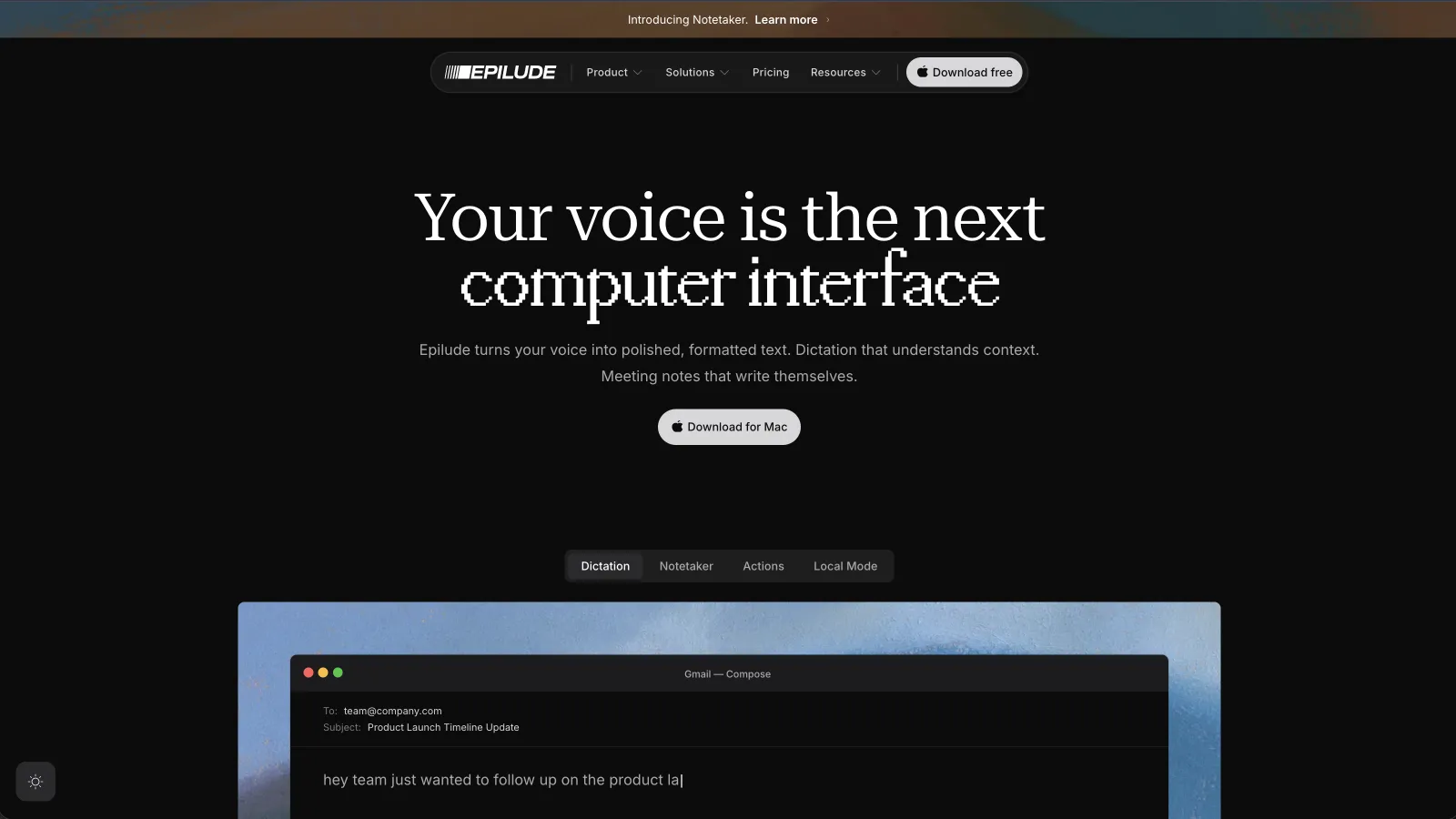
Epilude combines capture, transcription, Cleanup and insertion in a shortcut-to-cursor workflow. Compare its filler removal, corrections and list formatting on your own writing before deciding which default works for you.
For a longer email, check that paragraph breaks, requests and factual details survive the cleanup step. A short update should still say what you intended.
Tone Match handled the destination without a separate mode switch. The same thought stayed complete in Mail and became shorter in Slack. Vocabulary helped preserve names and work terms, while Shortcuts expanded phrases we use repeatedly. Actions covered the reverse job: select existing text, hold a shortcut, and say how to change it.
Local Mode kept both transcription and Cleanup on our Apple Silicon Mac. With Wi-Fi disabled, the correction and email followed the same workflow and still landed at the cursor. Full local AI Cleanup depends on a supported memory configuration, so we would check the Local Mode requirements before buying for an older or lower-memory Mac.
Epilude makes fewer model choices visible. That is the point for us, but it is also the reason a model enthusiast may prefer the other two. We choose the behaviour, such as Local or Cloud, rather than assembling a voice model, language model, prompt, and provider for every mode.
Epilude is also the only product here whose main product includes a bot-free Notetaker that saves transcripts, summaries, action items, and Markdown files. That matters when dictation and meeting follow-up belong to the same working day.
Choose Epilude when we want the product to own the defaults and deliver finished text. Choose something else when we need Windows, iPhone dictation, source access, or detailed model selection.
Best model and mode control: Superwhisper
Superwhisper exposes the clearest two-stage pipeline. A voice model turns audio into a transcript. An optional language model then formats or transforms the text. We can choose a local or cloud option for each stage, and on Mac both can remain local.
Its built-in modes cover common jobs such as messages, email, notes, meetings, and plain voice-to-text. Custom Mode adds our own AI instructions, app context, selected text, clipboard context, and examples. Auto-activation rules can switch a mode based on the current app or website.
That flexibility paid off on the technical fixture. A dedicated mode could preserve the file path and command-line flag, while the email mode could prioritize prose. We did not need to compromise between one global cleanup prompt and two very different jobs.
The cost is visible in setup. A local voice model with a cloud language model is not a fully local result. Voice-to-Text mode skips AI cleanup. A small local language model may follow a complicated prompt differently from a larger hosted model. We needed to know which mode was active before interpreting the output.
Superwhisper now works across Mac, Windows, iPhone, and iPad under one Pro licence. Its official pricing lists monthly, annual, and lifetime options. Local language-model post-processing is currently a Mac capability, so the cross-platform licence does not make every local configuration identical across platforms.
Choose Superwhisper when we enjoy tuning the pipeline or need separate modes with different models. Choose Epilude when the default output and automatic tone handling matter more than seeing every model choice.
Best open-source and automation option: VoiceInk

VoiceInk separates transcription, AI enhancement, context, and output inside Modes. Local transcription can use Parakeet, Whisper, or Apple Speech. Cloud transcription is optional and connected with our own provider key. Enhancement can use a hosted provider or a local tool such as Ollama.
Its starter Dictation mode is intentionally simple: transcribe, format, and paste. Enhancement, Email, Rewrite, and Assistant modes add prompts and context. Triggers can match an app, website, spoken phrase, or shortcut, and the output can paste text, show an assistant response, auto-send, or run a local custom command.
That custom-command output is VoiceInk's most distinctive advantage in this comparison. The final text can be passed to a script, appended to a Markdown journal, or handed to another local workflow. It is more open-ended than a normal paste setting, and the GPL source makes the surrounding implementation inspectable as well.
VoiceInk also makes its context boundary explicit. Selected text comes through Accessibility, clipboard context reads the clipboard, and Screen context captures the active window, extracts text locally with Apple's Vision framework, then sends that extracted text to the selected enhancement provider. Plain Dictation modes do not send that context to an AI provider.
A vocabulary setting has a processing boundary worth checking. VoiceInk's Vocabulary entries guide AI enhancement; they do not alter the raw transcript directly. Deterministic corrections use Word Replacements instead. If enhancement is disabled or skipped for a short recording, a vocabulary term may not affect the result.
We got the cleanest local email after choosing both a local transcription model and a local enhancement provider. That was a valid offline workflow, but it took more assembly than turning on Epilude Local Mode. We would choose VoiceInk when that transparency and control were benefits rather than chores.
What the five tests showed
Spoken correction
All three could reduce “Tuesday morning, no, make that Wednesday afternoon” to the final intent when their cleanup or enhancement stage was active. In transcription-only modes, the correction was more likely to remain literal. This test was primarily about the text-processing layer, not the speech model.
List formatting
Compare how Cleanup or the configured enhancement mode formats lists. Plain transcription and subsequent formatting are different stages. A mode called “local” is not enough information; we need to know whether formatting runs after transcription.
Names and vocabulary
Each product provides a way to improve uncommon terms, but the mechanism differs. Epilude Vocabulary is part of the writing workflow. Superwhisper stores custom vocabulary locally. VoiceInk separates vocabulary used by enhancement from deterministic Word Replacements.
Technical phrase
Superwhisper and VoiceInk were strongest when we wanted a dedicated technical mode with a chosen prompt and model. Epilude handled technical prose and can learn terminology, but it deliberately exposes fewer per-mode model controls. For repeated developer terms, see our broader dictation guide for developers.
Long email
Epilude emphasizes writing defaults. Superwhisper and VoiceInk expose prompts, providers and modes for people who want to configure a house style. The best setup depends on the writing you actually do.
Privacy depends on both processing stages
These apps can all be configured for local transcription on supported Macs. That does not automatically keep the final text local.
For Epilude, Local Mode covers transcription and Cleanup. For Superwhisper, we need a local voice model and a local language model, or a transcription-only mode. For VoiceInk, we need a local transcription model and a local enhancement provider, or enhancement turned off. Enabling cloud context or provider features changes the path.
We would verify the active mode, disconnect Wi-Fi, and repeat a real email before using any setup for sensitive work. A privacy label is less useful than a stage-by-stage account of what happened to the audio, raw transcript, context, and final text.
Which one should we install?
Choose Epilude for a Mac-first writing tool that makes the decisions behind polished output, app-aware tone, voice editing, and meeting notes. It is our overall pick because the default took the shortest route from rough speech to text we would send.
Choose Superwhisper when models, prompts, examples, and activation rules should be visible and adjustable. It is also the better choice when one licence needs to cover Mac, Windows, iPhone, and iPad.
Choose VoiceInk when open-source code, provider choice, local enhancement tools, and shell-command output are the point. It rewards a more technical setup with the most inspectable and extensible workflow here.
Meeting notes and reading alongside dictation
Epilude brings Dictation, Notetaker and Narrator together on Mac. This guide focuses on writing; meeting notes and reading are separate jobs with separate settings. The comparison directory covers all three, and the reading guide explains local voice generation versus downloaded audio.
The trial has independent allowances of 1,000 dictation words, 10 meeting notes and 5 minutes of cloud narration, with no card or time limit. Pro includes 60 cloud-voice minutes per calendar month. Pay Once covers supported local features on Apple Silicon with one year of updates; it does not include ongoing cloud use. Check pricing for the complete terms.
Superwhisper also offers meeting recording and transcription. A local speech model does not guarantee local cleanup or summaries; check the chosen AI provider. See the current Superwhisper comparison.
Frequently asked questions
Is Epilude better than Superwhisper?
Epilude is better for people who want polished Mac dictation with fewer setup decisions. Superwhisper is better for people who want to select voice and language models, create detailed modes, and use the same licence on Windows and iPhone.
Is VoiceInk fully local?
VoiceInk can be. Choose a local transcription model and a local enhancement provider, or turn enhancement off. Cloud providers and enabled context can send audio or extracted text to the provider selected in the mode.
Which app is easiest to set up?
Epilude had the shortest path to ready-to-send output in our comparison. Superwhisper and VoiceInk provide more model and prompt control, which adds useful setup for people who want it.
Which app has the most control?
Superwhisper provides the broadest polished interface for choosing models and building modes. VoiceInk goes further for open-source inspection and local automation through custom commands.
Can all three work without Wi-Fi?
Yes, on supported Macs and with the correct local configuration. Epilude uses Local Mode. Superwhisper needs local voice and language models for cleaned output. VoiceInk needs a local transcription model plus local enhancement, or enhancement disabled.
Which app is best for developers?
Superwhisper and VoiceInk are strong when a developer wants custom technical modes. VoiceInk adds shell-command output and open-source code. Epilude is better when we mainly dictate prompts, documentation, and reviews and prefer strong defaults.
Which one includes meeting notes?
Epilude includes a dedicated bot-free Notetaker with a transcript, summary, action items, citations, search, and Markdown files. Superwhisper provides meeting-oriented modes and recording capabilities. VoiceInk can transcribe files and build meeting workflows through modes, prompts, and commands.