












Private Dictation, Notetaker and Narrator
Dictate polished, formatted text into any text field. Capture meeting notes without any bot joining your call. Turn any text on your Mac into audio for the walk home. All processed privately on your Mac.
Helping these fine folks get work done










Epilude lets you dictate, capture meeting notes, and listen to what you need to read
Gmail — Compose
To:team@company.com
Subject:Product Launch Timeline Update
Start typing or hold ⌥ to dictate...
Hold, speak, release. Polished text appears instantly.
Hey there,
Epilude is the private voice product we think your Mac deserves. It is our love letter to speaking instead of typing, remembering instead of forgetting, and getting more done without giving more of your private data away.
AI models are finally capable enough to help you get work done faster. The bad news is that the fastest-growing voice AI companies are backed by vast amounts of venture capital. And when growth is the goal at almost any cost, private data can start to look less like something to protect and more like something to collect, analyse, and use to train the next model.
We think your voice and data should belong to you. So we built a private alternative that uses local AI models on your computer:
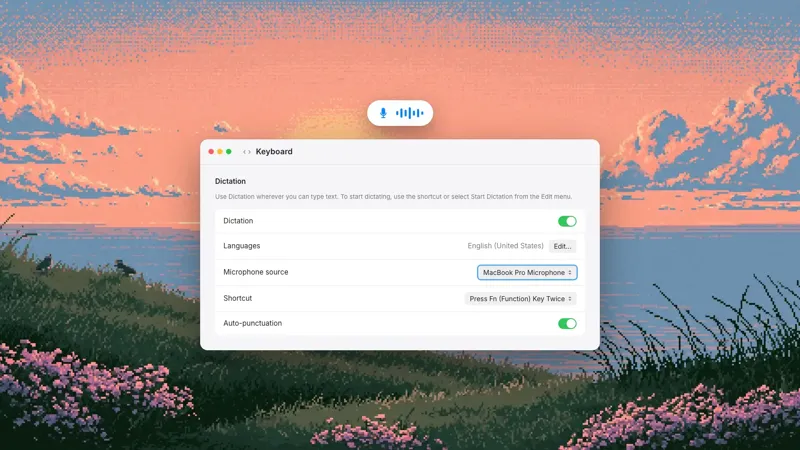
Dictation turns what you say into polished, well-formatted text. No typing required.
Notetaker captures your meetings and creates clear summaries, without sending a bot to join the call.
Actions lets you select text in any app and say the change you want. The rewrite lands where the original text was.
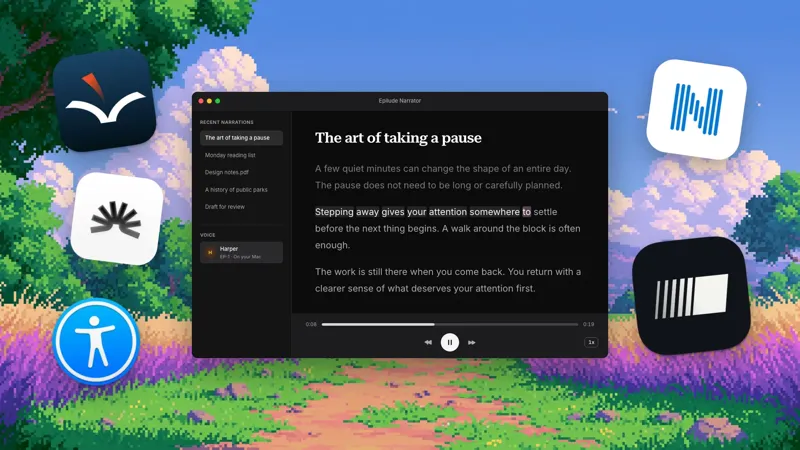
Narrator reads documents, web pages, and selected text aloud, so the things you need to read can come with you.
In Local Mode, Dictation runs on your Mac and Notetaker transcribes there, so your audio never leaves your computer. Narrator reads on your Mac with the EP-1 voice; cloud voices, the default for new installs, send the text to be read. Your data is never used to train AI models. Actions (for now) require cloud models, but we are working to port this to local models in the near future.
Voice tools can be fast, capable, and private. In fact, they should be.
Thanks,
Gustav, Co-Founder
Mark, Co-Founder
How it works
Speak to write
Press your hotkey and talk. Epilude transcribes what you say and cleans it up into formatted text, instantly.







Works in every app
Dictate into any app on your Mac. Epilude drops polished text wherever your cursor is, from your inbox to your editor.
Fully private and local
Turn on Local Mode and EP-1 runs on your Mac. Your voice and text are never sent to the cloud.
Loved by people who talk for a living
Three weeks in and I dictate almost all of my email now. The surprise is that replies still sound like me, it picks up how I actually write instead of turning everything into corporate speak. I type maybe a tenth of what I used to.
Marek
I gave up on dictation years ago. A friend insisted. Now I’m the friend who insists.
Uma
I record from my side, no bot invite, and my client asked how my notes got so good. Told her. She bought it too.
Maeve
Notetaker beta user
I do four or five sales calls a day. The follow-up emails that used to take me twenty minutes each now take about a minute as Epilude captures and summarises my calls.
Ulrich
Notetaker beta user
I clear my inbox on the walk between meetings now, laptop half open, muttering replies. Looks ridiculous, works great.
Hugh
Third dictation app I’ve tried this year and the first one still installed in month two.
Vic
I handle client data all day, so anything that uploads audio is an automatic no. Local Mode is the reason I get to use dictation at all.
Petra
Epilude for
Clear your inbox between meetings, brief your team in your voice, and send the thoughtful reply instead of the one your keyboard had time for. Mac app today; the rest of the company can follow when they're ready.
Learn more
Privacy, built in
Learn more about privacy at EpiludeWi-FiOn
Use local language models to dictate and record meetings notes privately on your Mac with EP-1. Nothing you say leaves your computer (you can even turn your Wi-Fi off and keep dictating).
Your feedback shapes what we build.
Found a bug or have an idea? While Epilude is running, press Cmd + Option + F from any app to send us a message. Attach a screenshot or a short video if it helps. We read every message and use your feedback to decide what to improve next.
Your voice. Your words.
Download for Mac
No credit card required
