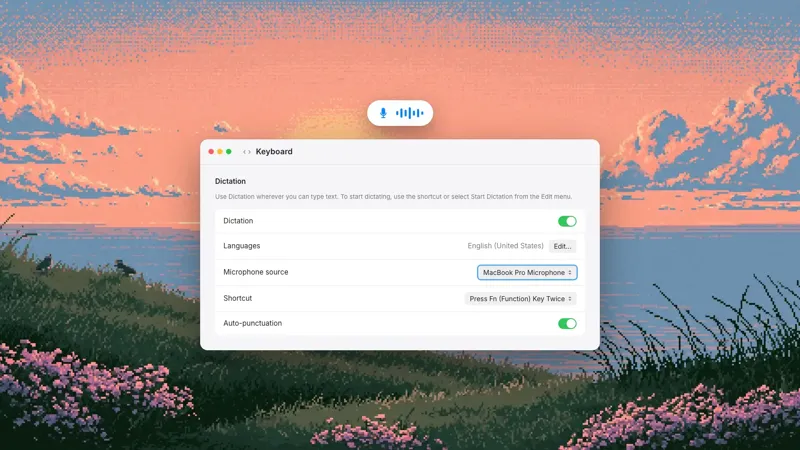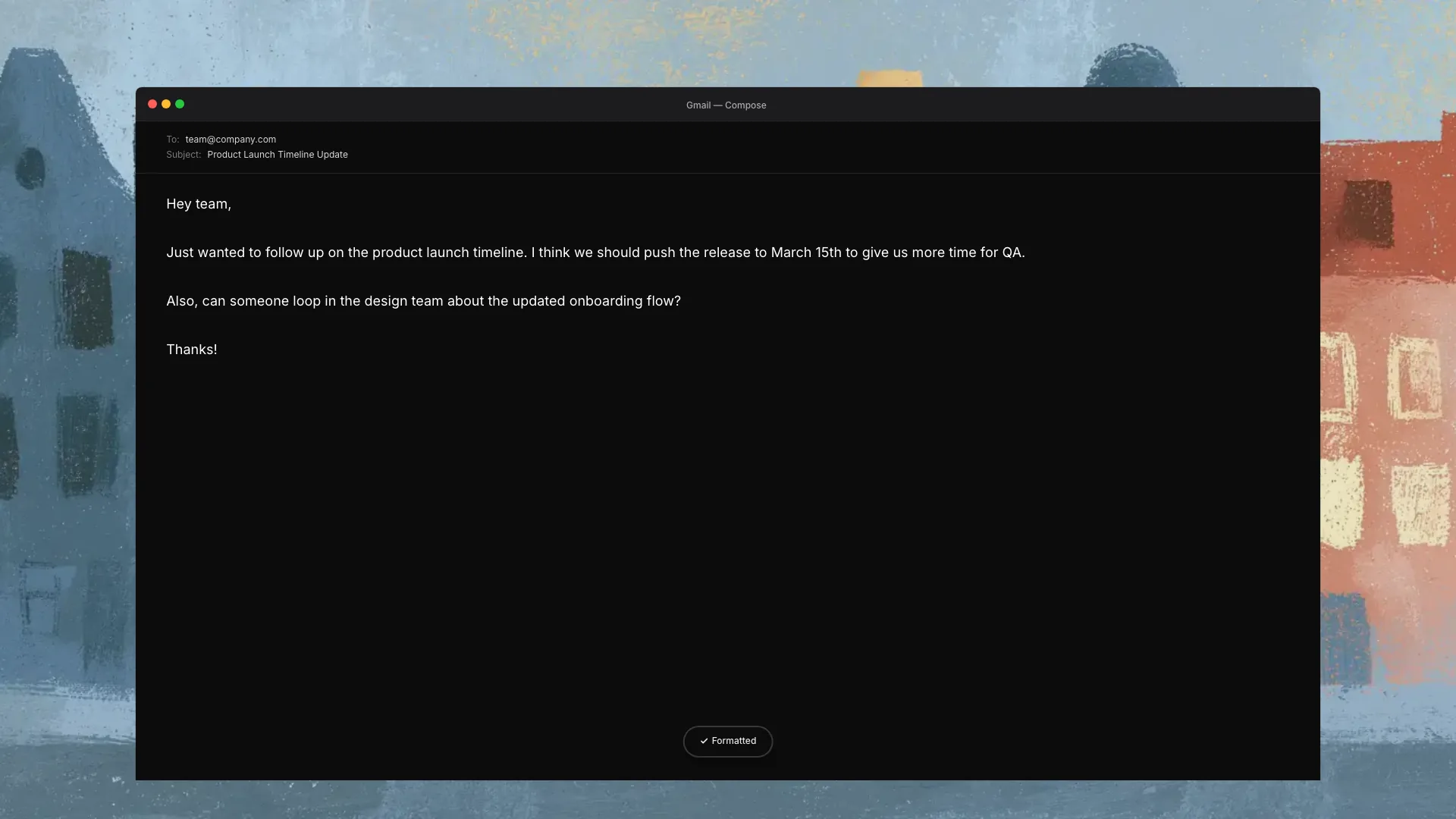
Epilude lets us dictate directly into Slack, Gmail, Notion, and other Mac text fields without switching to a transcription window. We click where the text should go, hold the global shortcut, speak, and release. Cleanup runs before the finished text returns to the active cursor. Gmail can use an email tone, Slack a work-message tone, and Notion a general writing tone.
There is no Slack plugin, Gmail extension, or Notion integration to install. The common requirement is a normal text field plus macOS Microphone and Accessibility permission.
Quick setup
| Step | What we do |
|---|---|
| 1. Install | Download Epilude, move it to Applications, and sign in |
| 2. Grant permission | Allow Microphone access and enable Epilude under System Settings → Privacy & Security → Accessibility |
| 3. Place the cursor | Click the Slack composer, Gmail draft, Notion block, or another editable field |
| 4. Dictate | Hold the configured dictation hotkey, speak naturally, then release |
| 5. Review | Read the inserted text before sending, posting, or saving |
The default dictation hotkey is Left Command + E, and it can be changed under Epilude → Settings → Hotkeys. We pick a combination that does not collide with shortcuts in the apps we use most.
What “works in any app” means
Epilude records from a global shortcut instead of an editor inside Epilude. When we release the shortcut, it inserts the result into the text field that was active when the dictation began.
That covers the normal places where we type on a Mac:
- Native apps such as Slack, Mail, Messages, Notes, Word, and Linear.
- Browser apps such as Gmail, Notion, Google Docs, Slack, and web-based CRMs.
- Desktop clients built with web technology, including many chat and project apps.
- Editors and terminals that expose a standard editable field.
Some fields deliberately block programmatic insertion. Banking apps, DRM-protected fields, password inputs, and a few custom editors can do this. In that case the dictation can be copied from Epilude history and pasted manually. “Any app” means the ordinary text fields where macOS permits insertion, not a way around a field's security controls.
How we tested the workflow
We used the native Slack app, Gmail in Chrome, Notion in Chrome, Apple Mail, Google Docs, and Notes. Each destination received the same spoken thought:
Um, quick update, the review is Tuesday, actually Wednesday afternoon, and, you know, Priya has the new agenda.
We checked four things:
- Did the shortcut start without leaving the destination?
- Did the result return to the field where the cursor was placed?
- Did Cleanup remove filler and resolve the Tuesday-to-Wednesday correction?
- Did Tone Match apply the category selected for that destination?
Epilude inserted the cleaned meaning in each app:
Quick update: the review is Wednesday afternoon, and Priya has the new agenda.
Capitalisation and punctuation varied with the Tone Match category we had selected. The important part stayed fixed: the correction resolved to Wednesday and the text landed in the draft we were already writing.
This was a workflow test, not a claim that every custom field on macOS behaves identically. We used ordinary compose and document fields and describe the exceptions below.
How to dictate in Slack on Mac
Slack is the easiest place to feel the difference between a global dictation app and a separate transcription editor. We do not want a polished paragraph sitting in another window while the thread keeps moving.
Our Slack workflow is:
- Open the channel, thread, or direct message.
- Click inside the message composer.
- Hold the dictation hotkey.
- Speak the complete update, including any correction.
- Release and read the inserted message.
- Press Return only after the text looks right.
Tone Match classifies Slack as a work-message app. We can choose a formal, casual, or excited tone for that category. The setting affects punctuation and capitalisation; it does not invent a different message.
For example, our work-message setting produced:
Quick update: the review is Wednesday afternoon, and Priya has the new agenda.
A shorter casual setting could reduce some punctuation without turning the message into an email. This is useful because the same Cleanup depth can serve both Slack and Mail while the category controls their surface style.
The cursor matters. If we click a channel name, canvas, search field, or another control before dictation finishes, that becomes the active context. We start speaking only after the message composer has a visible insertion point.
How to dictate in Gmail without leaving the browser
Gmail does not need a browser extension. Epilude sees the frontmost browser window, identifies Gmail from its active window title, and applies the Email category in Tone Match.
We use it this way:
- Open a reply or new message in Gmail.
- Click in the message body, after any greeting already in the draft.
- Hold the dictation shortcut and speak the body.
- Release, then check names, dates, links, and commitments.
- Add the subject separately if the cursor began in the body.
The destination is the active field, not the general Gmail page. A cursor in the subject line puts the result in the subject. A cursor in the message body puts it in the body. If no editable field is focused, there is nowhere for Epilude to insert the result.
The Email category defaults to a more complete style than work messages. Cleanup can remove filler, fix a mid-sentence correction, and add paragraph breaks to a longer dictation. We still review any email before sending, especially dates, names, prices, and promises.
Browser tabs create one extra failure case. If we switch to another tab or window while Epilude is processing, the active destination can change. The safest habit is to remain in the draft until the text appears. Processing is short, and it avoids sending a reply into a search box or another document.
How to dictate in Notion
Notion normally falls into Tone Match's Other category, along with Docs, Word, Notes, and code editors. That category is the general setting for documents that are neither messages nor email.
The basic workflow is the same:
- Add or select the Notion block where the writing belongs.
- Confirm the text cursor is blinking inside the block.
- Hold the hotkey and speak.
- Release and wait for the cleaned text to land.
For a short project note, we said:
Three things for launch, finish the permission copy, check the trial limit, and ask Priya to review the help article.
The result arrived as a punctuated sentence. For a real Notion list, we get more predictable structure by saying the list cue and each item clearly, then checking the resulting blocks or bullets. Dictation is still text insertion; Notion decides how its editor interprets returns, lists, and custom slash commands.
Longer Notion drafts are a good use for hands-free dictation. Double-tapping the dictation hotkey starts a session without holding the keys, and tapping again stops it and inserts the result. We keep the page open while speaking so the destination does not move.
The same shortcut in other Mac apps
The workflow extends beyond the three apps in the title:
| Destination | Tone Match category | Good jobs |
|---|---|---|
| Apple Mail, Outlook, Superhuman | Replies, follow-ups, introductions | |
| Teams, Discord, Zoom chat | Work messages | Updates, threads, short decisions |
| iMessage, WhatsApp, Signal | Personal messages | Casual replies and plans |
| Google Docs, Word, Notes | Other | Drafts, outlines, working notes |
| Linear, Jira, browser CRMs | Other | Issues, ticket notes, CRM updates |
| Cursor and code editors | Other | Prompts, documentation, comments, review notes |
Epilude does not need to know an app's API to type into its text field. Accessibility permission lets it return text through macOS, while Tone Match uses the frontmost app or browser-window title to choose a category.
This also explains the limits. Epilude can dictate a prompt into Cursor or a comment into a source file. It does not understand every custom code editor control, replace precise keyboard editing, or execute code safely for us.
How Cleanup and Tone Match work together
Cleanup controls how much Epilude edits the transcript. Tone Match controls surface formatting for four destination categories: Personal messages, Work messages, Email, and Other.
At Cleanup None, Epilude inserts the raw transcript and ignores Tone Match. Light, Medium, and High apply increasing levels of cleanup in Cloud mode. Local Mode provides its supported on-device cleanup path, with full local AI Cleanup depending on the Mac's memory configuration.
We set these once rather than building a prompt for each app. A practical starting point is:
- Casual for Work messages.
- Formal for Email.
- Casual for Personal messages.
- Formal for Other.
- Medium Cleanup for normal work writing.
We then dictate the same thought in a few real destinations and adjust the categories that feel wrong. Tone Match currently works at the category level rather than as a separate custom tone for every app.
Common reasons text does not appear
No text field was active
Epilude needs an insertion point. Click inside the composer or document and confirm the cursor is visible before starting.
Accessibility permission is missing
Open System Settings → Privacy & Security → Accessibility and enable Epilude. If the toggle looks enabled but insertion still fails, remove Epilude from the list, quit it, add it again, and relaunch. This forces macOS to register the permission again.
Microphone permission is missing
If the dictation indicator appears but no speech is captured, check System Settings → Privacy & Security → Microphone and make sure Epilude is allowed.
A macOS update reset permissions
macOS updates can reset Microphone or Accessibility access. Re-grant both when a previously working setup stops immediately after an operating-system update.
The active app changed during processing
Stay in the destination until the text appears. Switching apps or clicking another field can move focus away from the original draft.
One custom app blocks insertion
If dictation works in Notes but fails in one product, the field may block programmatic input. Copy the result from history and paste it with Command + V, then report the app and field through Epilude support.
The hotkey conflicts with an app shortcut
Change it under Epilude → Settings → Hotkeys. Right Command or another uncommon modifier can be comfortable for push-to-talk, but the best choice is one that does not trigger a command in Slack, the browser, or the editor.
A five-minute real-work test
We would judge system-wide dictation with the apps we already use:
- Dictate a Slack reply with a filler word.
- Dictate a Gmail paragraph with a spoken correction.
- Dictate a three-item Notion list.
- Add a colleague's name to Vocabulary and repeat it.
- Switch Wi-Fi off and repeat one task in Local Mode on a supported Mac.
That checks capture, cleanup, app detection, vocabulary, insertion, and the local path. A demo inside a dedicated transcription editor cannot answer the same question.
Try Epilude in the Mac apps where we already write
Frequently asked questions
What dictation app works inside Slack and Gmail without switching windows?
Epilude works from a global Mac shortcut and inserts cleaned text at the active cursor. Slack can use the Work messages Tone Match category, while Gmail in a browser uses Email.
Does Epilude need a Slack, Gmail, or Notion extension?
No. It uses macOS Microphone permission to capture speech and Accessibility permission to insert text. The destination needs a normal editable field.
Can Epilude tell Gmail apart from other browser tabs?
Yes. For browser apps, Tone Match reads the active window title to identify services such as Gmail, Outlook on the web, and Slack. Unknown sites fall into the Other category.
Why did the dictation go into the wrong field?
The active field probably changed before insertion. Keep the cursor in the destination and avoid switching tabs or clicking another field until the text appears.
Can dictation create lists in Notion and Google Docs?
It can insert structured text and formatting cues, but the editor controls how it turns text into blocks or rich formatting. Speak the list cue and items clearly, then review the resulting structure.
Does system-wide Mac dictation work offline?
Epilude Local Mode can run dictation and Cleanup on supported Apple Silicon Macs after its model is installed. The app still performs occasional entitlement checks when online. Cloud mode requires a connection.
What permissions does system-wide dictation need?
Epilude needs Microphone access to hear speech and Accessibility access to insert text into other apps. Notetaker has a separate Screen Recording permission for capturing meeting audio, but ordinary dictation does not need it.