Bluetooth audio on macOS has been one of the more stubborn things we have had to design around while building Epilude. It is not broken exactly. It just behaves in a way that is quietly hostile to press-and-speak dictation.
The symptom is this. You hold the hotkey, say a sentence, let go, and nothing appears. No error, no spinner stuck halfway, nothing worth screenshotting. Just a Mac that has apparently decided not to listen.
Part of that comes from a Bluetooth design decision made in the era of hands-free car kits. A Bluetooth microphone takes one to two seconds to become ready, which is long enough to cut the front off a sentence and, if the sentence is short, long enough to eat all of it.
The other part, we worked out after a stretch of comfortably blaming the first part, was us.
Bluetooth headphones have two audio modes
We had to learn this properly before the rest made sense.
Bluetooth headphones use different profiles for listening and for speaking. Music plays over the Advanced Audio Distribution Profile, or A2DP, which is built for quality output and has no microphone channel at all. The moment an app asks for the headset microphone, macOS moves the headset to the Hands-Free Profile, or HFP, which carries microphone input and lower-quality output together.
| Bluetooth profile | Output | Microphone | Typical use |
|---|---|---|---|
| A2DP | High-quality stereo | No | Music, video, podcasts |
| HFP | Lower-quality call audio | Yes | Calls, conferencing, dictation |
None of this is hidden, which is part of what makes it frustrating to work with. The Bluetooth SIG has A2DP and HFP written up as exactly what they are, and Apple describes the trade plainly: your headphones have one mode for better listening and another for using the microphone while listening, and quality drops when macOS switches to the second.
You have heard it happen. Music goes quiet and flat and usually mono the instant something opens the headset mic, then comes back a moment after it closes.
Nothing disconnects. macOS is swapping the kind of connection it holds open, and how long that takes depends on the Mac, the headset, and what both were doing a second earlier. On a call you never notice, because a second of setup vanishes into the hellos. Push-to-talk gives it nowhere to hide.
We spent a while making the wait feel better
Once you have decided a delay is the platform's fault, you start designing around it instead of at it. We came up with three things. Only one survived, and not one of them touched the actual problem.
The obvious one was a better loading state, so the wait is explained rather than mysterious. It is honest, it takes an afternoon, and it does nothing about the words that already fell on the floor. We would have shipped a very tasteful way of telling you we had lost your sentence.
The second was starting the profile switch the instant the key goes down, so part of the transition hides behind the breath people take before speaking. This one helps and we still do it. It shortens the gap without closing it, and it makes the hotkey do real work before anyone knows whether you meant to dictate.
The third was keeping the headset microphone open between dictations. No repeated switch, no repeated wait. Then you sit with it. Your music stays in call quality all afternoon, the microphone-in-use indicator stays lit, your earbuds die faster, and a mic that keeps running after you stop talking feels wrong even when nothing is being kept. Holding it open for a few seconds after each release would claw back most of the delay, but it spends everyone's playback quality and privacy boundary on the people who dictate in rapid bursts. We close it when dictation ends.
Three ways to make a two-second wait more bearable. Not one of them asked why we were waiting.
We were waiting on a microphone we never recorded from
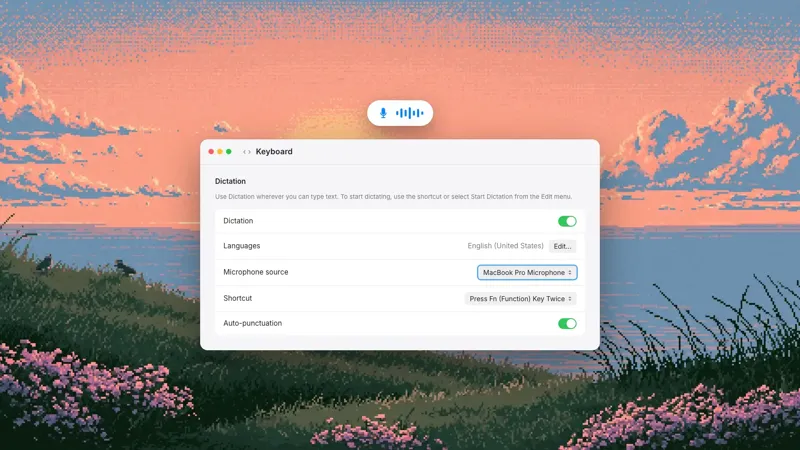
The setup that breaks is the one an enormous number of people use, including most of us: AirPods in for listening, MacBook mic for talking. Private audio, an input that responds instantly, music that stays in stereo. Epilude supports it deliberately, because you can pick your microphone independently of whatever macOS considers the default.
Which is where we went wrong. Our capture startup asked macOS a sensible question, just not the right one. What is the default input device? macOS answered "AirPods", accurately, because that is what it was. So we pulled the AirPods into call mode, waited for them to settle, and then recorded from the MacBook microphone, which had been ready the entire time.
We degraded your music, lit your microphone indicator, and made you wait, on behalf of a device we were never going to record a single sample from. Every cost, none of the benefit.
The underlying mistake is duller than the symptom. Two variables, both fairly called "the microphone". macOS owns one, Epilude owns the other, and they agree the overwhelming majority of the time. That is why reading the wrong one sailed through review: the line looks correct in isolation and behaves correctly on almost every machine you try it on.
What made it urgent was the shape of the failure rather than the size of the delay. Push-to-talk dictation is a physical habit. Clip someone's first word a few times and they start pausing before every sentence, hedging against a system they no longer trust. Swallow a whole sentence once and they go back to the keyboard.
The fix, and the test matrix that let it through
Epilude no longer touches your headphones when you are dictating on a different mic. Listen through AirPods and dictate through your MacBook mic and your headphones stay in listening mode, while capture starts immediately.
| Listening through | Dictating through | What happens |
|---|---|---|
| Bluetooth headphones | MacBook mic | Headphones stay in listening mode |
| Bluetooth headphones | Wired or USB mic | Headphones stay in listening mode |
| Bluetooth headphones | Headset mic | Headset switches to microphone mode |
| Built-in speakers | MacBook mic | No Bluetooth transition |
The more useful lesson was in why it survived testing. Our matrix listed hardware, not routes. It knew whether AirPods were connected. It had no concept of a headset being central to playback and irrelevant to capture, and no checklist built around "is this connected" can tell those apart. So we now test the combinations people actually run: Bluetooth out with built-in in, with wired in, with USB in, and with the headset's own mic.
None of the speed came from making the Bluetooth transition faster. All of it came from not asking for one.
The part that is still crude
When you do select a Bluetooth microphone, we still have to trigger the profile change and wait for the hardware to settle before we can trust the sample rate we are given. The way we do that is to spin up a throwaway audio engine, poke the input, then sleep for a second and a half before building the real thing. It is a fixed wait, long enough across the headsets we tested, which is a polite way of saying it is a guess that works. Fast headsets pay for slow ones.
There is more of this than we would like. Bluetooth inputs get four start attempts where everything else gets two, with longer backoffs between them. A configuration change on a Bluetooth device triggers a full engine rebuild rather than a reset, because the input node will otherwise hand us a cached sample rate from the previous profile. Each one is an accommodation to hardware that does not behave consistently, and each one is a place where a future headset can surprise us.
One edge case we got wrong on purpose. When your chosen microphone disappears mid-session we fall back to another input and skip Bluetooth devices, so unplugging a USB mic drops you to the built-in one instead of yanking your headphones into call mode. But if nothing else is usable at all, say a Mac with no working built-in mic and only AirPods connected, we allow Bluetooth after all. A laggy capture beats telling someone dictation is unavailable.
Where this leaves you
The practical answer has not changed. Bluetooth headphones for output, MacBook microphone or a wired or USB mic for input. You skip the profile switch entirely, your music stays in stereo, and the built-in mics on recent Macs are good at desk speech. In Epilude, open Settings → Audio → Microphone and pick your input; the live level meter confirms which mic is actually hearing you. Our audio setup guide covers the rest.
Bluetooth LE Audio should eventually make most of this go away, with the LC3 codec and an architecture that stops treating voice and media as incompatible modes. The Bluetooth SIG's overview lays out where it is heading. Support still varies too much across Macs and headsets to build on, so classic Bluetooth audio is what we design for, sleeps and all.
What we took away
Our end-to-end latency numbers were healthy throughout. They were also meaningless for this bug, because the timer started at the first audio buffer and the entire problem lived in the silence before it. We were measuring a fast pipeline that began after the slow part finished. Any timer that starts after a setup step measures everything except the setup step, which sounds obvious written down and was not obvious while we were looking at a green dashboard.
We now measure from the moment capture is requested to the moment usable audio arrives, and we keep Bluetooth inputs separate from built-in and wired ones, because averaging them together hides exactly what we were trying to see. We are not going to publish that as a benchmark. The one-to-two-second range is what we reproduced on our own hardware, and it moves with the Mac and the headset.
The second thing is less comfortable. We knew that the system default and the user's selection were two different pieces of state, and everyone on the team would have said so if you had asked. We still read the wrong one at the single moment it mattered, and turned a platform limitation we could not remove into a bug that looked, from the outside, like our app ignoring people. Knowing a distinction exists is not the same as respecting it in the one function where it counts.
The fix shipped in June, and we are still living with the rest of it. Most of what we build ends up this shape: a platform behaviour we cannot change, a pile of small accommodations around it, and somewhere in the middle a mistake of our own that was hiding behind the platform's.