A task list can tell you what needs doing. Your calendar can show when you have room. But a busy workday also includes writing updates, finding documents, answering email and turning meetings into follow-up work. Those jobs deserve a place in your time management system too.
Our picks are Epilude for dictating work on a Mac, Todoist for task lists, Google Calendar for time blocking, Freedom for blocking distractions, Toggl Track for tracking time, Notion for project context, Raycast for keyboard shortcuts and Spark for email.
We make Epilude. These recommendations are editorial judgments based on documented features and workflows, rather than a timed, hands-on comparison of all eight products. Each pick solves a different problem; start with the one that takes up the most unnecessary time in your day.
The best time management tools at a glance
| Tool | Best for | Pricing model |
|---|---|---|
| Epilude | Writing by voice on Mac | Usage-based free trial, Pro subscription or Pay Once |
| Todoist | Capturing and prioritising tasks | Free Beginner plan; paid Pro and Business |
| Google Calendar | Reserving time for work | Free personal use; paid premium features |
| Freedom | Blocking distracting apps and websites | Free plan; paid Premium |
| Toggl Track | Finding where your time goes | Free plan; paid plans per user |
| Notion | Keeping project information together | Free plan; paid plans per seat |
| Raycast | Repeated keyboard-driven tasks | Free core features; paid Pro tiers |
| Spark | Managing several email accounts | Free plan; paid Plus and Pro |
Plan details checked on 8 October 2026. Dollar amounts below are in USD. Regional prices, taxes and offers can differ; follow the linked pricing pages before buying.
How to choose a time management tool
Match the tool to a recurring problem you can name. “I keep forgetting follow-ups” calls for a task list. “I spend the afternoon polishing updates” might call for dictation. “I can't explain where the week went” calls for time tracking.
Before adding another subscription, check:
- Where the work already happens. A tool you can use inside your existing writing apps has a different setup cost from a new project workspace.
- How much upkeep it needs. Someone has to sort the inbox, maintain the database and review the reports.
- Which features require payment. A free task list may be enough even if its calendar view costs extra.
- What happens to your information. A local writing option matters when drafts contain sensitive work.
Choose one change to try for a week. Compare the time spent doing the work, including setup and corrections. A tidier dashboard is useful only if it helps you finish something.
Best time management tool for writing by voice
Epilude
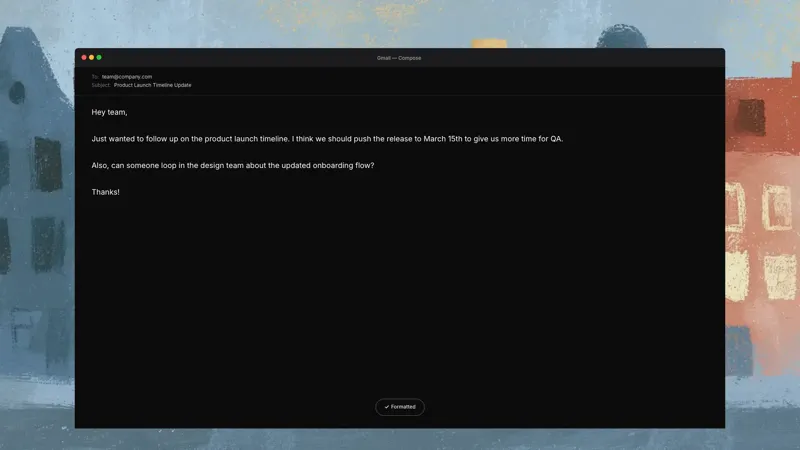
Epilude lets you dictate into the apps where you already write on your Mac. Click into a draft, hold your dictation shortcut, speak and release. The text returns to the active field after Cleanup. You can use it for a Slack update, an email, a project brief or a detailed prompt without moving the draft to a separate editor.
For creators, a useful starting point is the explanation you already know how to say. Speak a rough outline, read it back and edit the parts that need care. You still decide what to publish.
Local Mode keeps dictation audio and Cleanup on supported Apple Silicon Macs. Cloud mode is the default and sends dictation audio for cloud processing. The privacy page explains those choices.
Useful workflows
- Dictate a status update with the decision, the reason and the next step in one pass.
- Use Shortcuts to expand a repeated passage, such as your booking instructions, by speaking its trigger phrase.
- After a call, review the transcript, summary and action items from Notetaker, then dictate the follow-up. Recording happens from your Mac without a bot joining. Tell participants before recording; cloud transcription and summaries are the defaults.
Pros
- Dictation works in ordinary editable fields across Mac apps, including browser-based tools.
- Local Mode provides an on-device option for dictation and Cleanup.
- Dictation and meeting follow-up fit into the same Mac workflow.
Cons
- Epilude is Mac-only; Local Mode requires Apple Silicon.
- Speaking aloud is less convenient in a shared office or a quiet library.
- You need to review names, dates and commitments before sending. Some custom or protected fields need a manual paste.
Pricing
Epilude Pro costs $18/month or $144/year, equivalent to $12/month billed annually. Pay Once costs $59 for supported on-device features on Apple Silicon, includes one year of updates and excludes cloud processing and Actions. Full on-device AI Cleanup requires at least 16GB of memory; smaller Macs use basic formatting.
The free trial includes separate allowances of 1,000 dictation words, 10 meeting notes and 5 cloud voice minutes, with no credit card required. It is a trial, rather than an ongoing free plan.
For more options focused on writing, compare the best dictation software for Mac.
Best time management tool for capturing tasks
Todoist
Todoist suits the moment a request arrives and you need to put it somewhere dependable. Quick Add accepts natural-language dates, projects give related tasks a home, and recurring dates handle work that comes back every week.
The useful habit is to capture an action you can start. “Website” is a topic. “Send the homepage draft to the designer on Thursday” tells you what to do next.
Useful workflows
- Capture requests during the day, then sort the inbox at a set time.
- Separate work and personal projects while keeping one view of today's commitments.
- Use recurring tasks for invoices, reviews and other repeat obligations.
Pros
- Quick capture, priorities and subtasks help turn loose requests into a workable list.
- A free plan covers basic task management.
- Desktop and mobile access let you capture work away from your desk.
Cons
- A long list can exceed the time you have available. You still need to decide what can wait.
- Calendar layout and task durations require Pro or Business.
Pricing
Todoist's Beginner plan is free. Pro costs $7/month or $60/year. Business costs $10 per user/month or $8 per user/month billed yearly. See the official plan comparison.
Best time management tool for time blocking
Google Calendar
Google Calendar gives your tasks a place alongside the meetings and appointments that already occupy your day. A calendar block makes the tradeoff visible: an hour reserved for a proposal is an hour you cannot also promise to another call.
Use specific event names. “Draft the introduction” gives you a clearer starting point than “deep work”. Leave space for breaks, overruns and the requests you can reasonably expect.
Useful workflows
- Add fixed commitments first, then reserve a realistic block for your main task.
- Group routine admin into a repeat appointment instead of fitting it between every meeting.
- Review unfinished work and move its block deliberately, rather than letting it disappear.
Pros
- Shared calendars and invitations make it practical for work with other people.
- Several calendars can separate client work, personal commitments and availability.
- Google Tasks can appear in Calendar when you give a task a date and time.
Cons
- Calendar blocks need updating when priorities change.
- Dedicated Focus Time and some appointment-booking features depend on your account or subscription.
Pricing
Personal Google Calendar use is free with a Google Account. Premium scheduling features are available through eligible paid plans. Check Google's Calendar overview for the features included with your account.
Best time management tool for blocking distractions
Freedom
Freedom blocks selected websites and apps during a focus session. It is a useful choice when you know what you want to work on but keep opening the same distracting tabs.
Start with a short blocklist. Keep the documents and communication channels you need for the task accessible. You can make the block stricter after checking that it doesn't interrupt legitimate work.
Useful workflows
- Block social sites during a draft or study session.
- Include your phone in the session if that is where you tend to switch next.
- Schedule a recurring block for a regular piece of focused work.
Pros
- Website and desktop-app blocking address distractions in more than one place.
- Sessions can run across supported devices.
- Premium includes recurring schedules and Locked Mode, which prevents ending a session early.
Cons
- Scheduling and Locked Mode require Premium.
- Blocking too much can get in the way of research or an urgent reply. Test your list before using a locked session.
Pricing
Freedom offers a free plan. Its Premium page lists $8.99/month or an annual option equivalent to about $3.33/month. Check the current offer and billing total before subscribing.
Best time management tool for tracking your time
Toggl Track
Toggl Track helps when your estimates and your actual week disagree. Start a timer while you work, or add an entry afterwards, and assign the time to a project. Reports give you a record to review before planning the next week.
For a freelancer, separate the client deliverable from the email and revisions around it. That gives you a better basis for estimating the whole job.
Useful workflows
- Track one ordinary week using a small set of project categories.
- Compare the time spent on delivery, meetings and administration.
- Use the results to adjust the next estimate or protect a larger work block.
Pros
- Manual entries and running timers let you choose how to record work.
- Personal reports help you compare planned work with recorded time.
- Paid billing features suit work where hours need to be charged to a client.
Cons
- Reports depend on keeping your entries accurate and reviewing them.
- Recorded hours measure duration. You need a separate judgment about the value of the work.
Pricing
Toggl has a free plan and paid Starter, Premium and Enterprise options. Paid self-serve plans charge per user, with different monthly and annual rates. Check the current pricing table for your billing cycle and reporting needs.
Best time management tool for organising project context
Notion
Notion combines documents and databases. It is useful when a task needs supporting material: the brief, research links, previous decisions or a checklist for handing work over.
For a publishing project, keep the outline and source notes on the same page as the draft. A database can track its status without scattering those details across separate documents.
Useful workflows
- Keep a reusable project page with the brief, decisions and next actions.
- Track drafts or client deliverables in a database with a status and owner.
- Save the reason for a decision so the next review can start with that context.
Pros
- Pages and database views support projects with substantial written context.
- Shared documents let collaborators work from the same brief.
- Templates can save setup time for repeat projects.
Cons
- Designing databases and dashboards can become another job. Start with the minimum fields you need.
- The free plan has different limits for individual use and workspaces with multiple members.
Pricing
Notion offers Free, Plus, Business and Enterprise plans. Paid plans charge per seat; prices vary by currency and billing cycle. Check Notion's pricing page, particularly if you need team permissions or AI features.
Best time management tool for repeated keyboard tasks
Raycast
Raycast puts app launching, file search and commands behind a keyboard interface. It fits work where you repeatedly find the same document, paste the same passage or move between the same tools.
On a Mac, start with two shortcuts you will use tomorrow. A quicklink to the current project brief and a snippet for a routine reply are easier to adopt than a large collection of unfamiliar commands.
Useful workflows
- Give a frequently opened document a memorable quicklink.
- Store a repeated passage as a snippet.
- Search clipboard history for something you copied earlier, instead of reopening its source.
Pros
- Free core features include Quicklinks, Snippets and Clipboard History.
- Commands and extensions let you adapt the launcher to your work.
- You can begin with a few shortcuts and add others when a repeated task warrants one.
Cons
- Aliases, hotkeys and extensions take time to choose and learn.
- AI features and cloud sync require a paid plan; available features can differ by platform.
Pricing
Raycast is free for core features. Individual Pro costs $10/month or $96/year. Higher Pro+ and Max tiers include larger AI allowances. See Raycast's billing documentation for the current tiers.
Best time management tool for email follow-up
Spark
Spark brings several email accounts into one inbox and provides snoozing, send-later scheduling and follow-up reminders. It suits people whose work is spread across client, personal and business addresses.
A useful email session ends with a decision about each message. Reply, move the work into your task list, set a reminder or archive it. Leaving the message unread asks you to make the same decision next time.
Useful workflows
- Review several accounts together during a planned email block.
- Snooze a message until the date when you can act on it.
- Add a reminder to a sent message that needs a response.
Pros
- The free plan includes a unified inbox and email scheduling features.
- Paid plans add shared drafts, templates and other collaboration features.
- Mobile and desktop apps support follow-up away from your desk.
Cons
- Moving to a new email client means learning its views and settings.
- Advanced inbox controls and collaboration require a paid plan. Check the tier before choosing Spark for a team.
Pricing
Spark Free covers essential email features. Plus costs $10/month or $99/year; Pro costs $20/month or $199/year. The official subscription guide lists the features in each plan.
Time management techniques to use with these tools
Time blocking
Time blocking reserves a period for a particular task or group of tasks. Take one priority from your list and give it a realistic place on the calendar. Leave a gap before the next commitment so an overrun doesn't rewrite the whole afternoon.
The Eisenhower Matrix
The Eisenhower Matrix separates tasks by importance and urgency. Work that is both important and urgent needs attention now. Important work with a later deadline needs scheduled time. Delegate urgent, less important work where possible, and remove tasks that meet neither test.
For example, today's client deadline needs a block now; improving your proposal template needs a block before the next deadline makes it urgent.
Task batching
Group similar jobs into a planned session: email replies, invoices or reviewing small changes. Keep a way for time-sensitive requests to reach you, then avoid reopening the inbox between every task. Task batching can sit inside a calendar block.
A weekly time review
Compare your calendar, completed tasks and recorded time at the end of the week. Choose one adjustment: allow longer for revisions, shorten a recurring meeting or move writing to a less interrupted part of the day. Repeat the review before adding more software.
Build a small time management system
Begin with a calendar for commitments and one task list for next actions. Add a specialist tool when you can name the gap.
For a writer on Mac, that might mean Todoist for assignments, Google Calendar for draft time and Epilude for speaking a first draft. For a freelancer, Toggl Track may be more useful as the next addition because the main problem is estimating billable work. If distractions repeatedly interrupt the block, try Freedom.
Use the same project for a week and judge the result: did you finish the draft, remember the follow-up or make a more accurate estimate? Keep the tools that helped.
If writing takes up much of your day, try Epilude on one update or email. Read the result, make your edits and compare the complete process with typing it.
Frequently asked questions about time management tools
What are time management tools?
Time management tools help you plan, prioritise, record or reduce the time spent on work. They include calendars, task lists, time trackers, distraction blockers and tools that reduce repeated writing or admin.
What is the best time management tool?
Choose by the problem you need to solve. Todoist is our task-list pick, Google Calendar handles time blocking, and Toggl Track records where time went. Epilude is our pick for writing by voice on a Mac, with Local Mode available for on-device dictation and Cleanup.
What are the best free time management tools?
Google Calendar, Todoist Beginner and Toggl's free plan cover scheduling, basic task management and personal time tracking. Raycast provides free keyboard tools, and Notion and Spark have free plans too. Epilude offers a free trial followed by paid plans.
Can dictation help with time management?
Dictation can reduce the typing involved in drafts, messages and updates, particularly when you already know what you want to say. Include review and correction time when comparing it with typing. A quiet place to speak also matters.
Do I need a separate app for every part of my day?
Start with the calendar and task list you already have. Add another app when a recurring problem justifies its setup and upkeep. Keep related information together so you don't have to update several copies of the same task.