Epilude is our top pick among dictation software for lawyers on Mac. Local Mode can keep speech recognition and Cleanup on a supported Mac, while Vocabulary handles names, citations, matter codes, and other terms that general speech models tend to miss. The finished text returns to the cursor in Mail, Word, a browser, a practice-management system, or any other normal Mac text field.
Superwhisper is better when a firm wants to select the speech and language models itself. VoiceInk is our open-source choice. Wispr Flow suits a cloud-first practice that also needs Windows. Dragon Legal Anywhere belongs on a Windows shortlist, but its current desktop requirements make it a poor fit for a Mac-first comparison.
Quick answer
| Legal workflow | Our pick | Reason |
|---|---|---|
| Best overall for lawyers on Mac | Epilude | Local dictation and Cleanup, legal Vocabulary, and system-wide cursor insertion |
| Best for choosing local models | Superwhisper | Separate voice and language-model controls with a documented local path |
| Best open-source option | VoiceInk | Local transcription with configurable enhancement and inspectable source code |
| Best cloud-first cross-platform option | Wispr Flow | Mac and Windows support with managed privacy controls |
| Best for a Windows-based legal deployment | Dragon Legal Anywhere | Legal vocabulary and central administration, but no current native Mac client |
Local processing does not make an app compliant with a firm's policies by itself. A firm still needs to review access controls, file locations, backups, retention, telemetry, optional cloud features, and the terms that apply to its use. We treat the data path as a technical fact, not a promise about privilege or regulatory status.
What to compare
This is an editorial comparison of product workflows, not a controlled hands-on accuracy or speed benchmark. Features and model choices explain the shortlist; they do not establish a universal winner for output quality.
For your own trial, use a short reply, a longer email, a spoken correction, a list, and your usual names or technical terms. Check the result at the cursor, how much editing remains and where both transcription and Cleanup run. A local speech model alone does not establish local rewriting. The example phrases below are illustrative inputs and desired outputs, not benchmark results.
The five products compared
| Product | Local speech recognition | Local cleanup | Works at the Mac cursor | Main limitation |
|---|---|---|---|---|
| Epilude | Yes, in Local Mode | Yes, on supported Macs | Yes | Mac-only; Local Mode requires Apple Silicon |
| Superwhisper | Yes | Yes, with a local language model | Yes | More setup and model choices |
| VoiceInk | Yes | Yes, with a configured local provider | Yes | Local enhancement requires assembly |
| Wispr Flow | No, its main processing path is cloud-based | Cloud-based | Yes | Does not provide a fully local offline path |
| Dragon Legal Anywhere | No, service-based | Service-based | Not as a native Mac client | Current desktop requirements are Windows |
Best overall for lawyers on Mac: Epilude
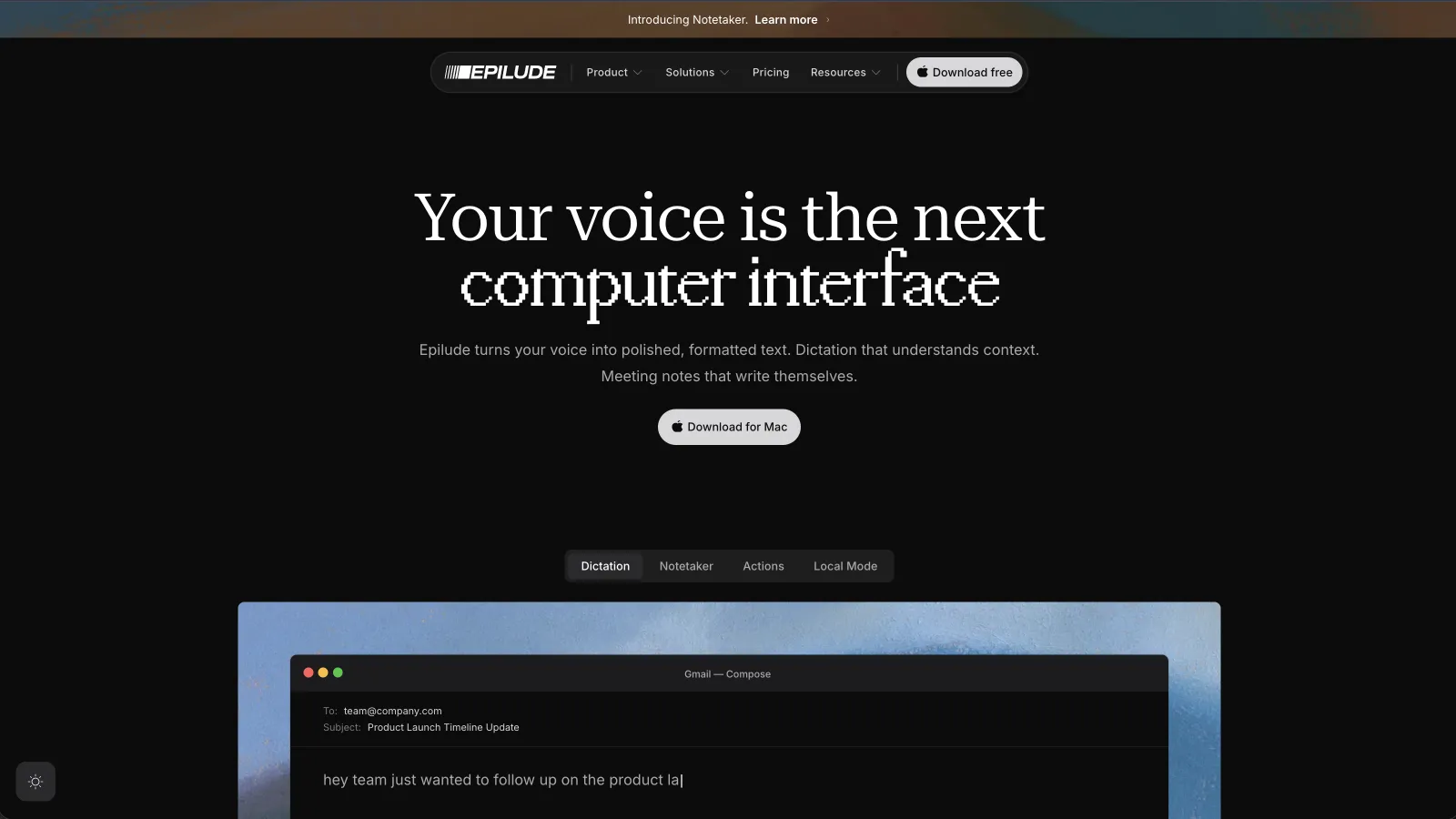
Epilude combines capture, transcription, Cleanup and insertion in a global shortcut workflow. For legal writing, check corrections, names and factual details before sending the returned text.
An illustrative input:
Um, following up on the Harrow matter, can we send the revised draft Tuesday, actually Wednesday, and include the Section 12 note for Priya?
A desired cleaned result:
Following up on the Harrow matter, can we send the revised draft on Wednesday and include the Section 12 note for Priya?
The fictional example illustrates three everyday checks: a proper name, a spoken correction, and a reference that needed to remain exact. Vocabulary let us store the spelling for “Harrow,” a sample matter code, and a less common legal term. The correction then applied in every app rather than living inside one document template.
Local Mode kept the speech-recognition and Cleanup stages on our Apple Silicon Mac. With Wi-Fi disabled, the shortcut, formatting, Vocabulary, history, and cursor insertion still worked. Full on-device AI Cleanup requires a supported memory configuration, so we would check the current hardware requirements before choosing a machine for this workflow.
Cleanup is useful for correspondence and internal prose because it deals with the speech habits that make traditional dictation tiring: filler, repeated fragments, punctuation, and a correction spoken halfway through the sentence. It does not research the law, verify a citation, or decide which wording belongs in a filing. We still reviewed the result before sending it.
Tone Match adapts wording by app for correspondence, matter notes and internal chats. For a firm that wants one Mac shortcut across its existing software, this is the workflow our shortlist favors for Mac writing.
Epilude is a poor fit for a mixed Windows and Mac deployment. It is also more product than a lawyer needs for an occasional search query.
Best for selecting local models: Superwhisper
Superwhisper offers local speech and language-model choices, with modes for different writing tasks. Its modes can hold different prompts and settings for a client email, a memo, or an internal note.
That flexibility matters when a firm has approved a particular model or wants to inspect each processing stage. Superwhisper documents the difference between its voice model and language-model stage, and it supports an all-local Mac setup when both are configured locally.
The tradeoff appeared during setup. We had to choose the voice model, language model, prompt, context settings, and mode behaviour. Those controls are useful for a technical owner. They create more room for a user to select a cloud provider without noticing that the data path changed.
We would choose Superwhisper when model control belongs in the requirement. We preferred Epilude for an ordinary legal writing seat because Local Mode packages the local path and Cleanup defaults into one switch.
Best open-source option: VoiceInk

VoiceInk is the strongest option here for a firm or lawyer who values source access and configuration. It can transcribe with local Whisper, Parakeet, or Apple Speech models, then insert the result into the active app. AI enhancement can run through a local provider such as Ollama when that provider has been installed and selected.
Its architecture makes the stages visible. A plain Dictation mode can stay local with enhancement off. A second mode can use a local language model to clean an email. Word Replacements handle deterministic corrections, while Vocabulary guides the enhancement stage.
A Vocabulary entry does not directly rewrite the raw transcript when enhancement is skipped. Check Word Replacements and the selected enhancement provider for legal terms.
VoiceInk can produce a local writing path, but the person configuring it owns more of the result. Model choice affects speed and quality, and history settings determine how long transcripts or audio remain on the Mac. We would choose it when source visibility and control outweigh a more opinionated default.
Best cloud-first cross-platform option: Wispr Flow
Wispr Flow works across Mac and Windows and produces cleaned text at the cursor. It removes filler, handles corrections, and uses app context to shape the result. That makes it a serious option for a firm with both operating systems.
Its main processing path is cloud-based. Wispr documents privacy controls, private cloud sync choices, and zero-data-retention arrangements for eligible business use, but these controls are different from running speech recognition and cleanup on the Mac. A firm should review the exact plan, contract, and settings rather than read “private” as “local.”
We would choose Wispr Flow when cross-platform deployment and managed cloud controls matter more than offline processing. It is not our answer for a requirement that confidential dictation remain on a Mac from capture through Cleanup.
Where Dragon Legal Anywhere fits
Dragon has long recognition in legal dictation, and Dragon Legal Anywhere includes legal vocabulary, profiles, central administration, and integration options for managed deployments. The current Dragon Legal Anywhere desktop requirements are Windows 10 or later. The official standalone installer is also a Windows application.
That rules it out as a native Mac recommendation. A practice that runs Windows desktops, virtual desktops, or another approved Windows environment may still place it at the top of its list. A Mac-first lawyer looking for cursor-level dictation should compare the products above instead of buying on the Dragon name and discovering the platform mismatch later.
A confidentiality checklist for legal dictation
We would ask these questions before entering real matter information into any voice product:
- Where does audio become text? Name the device or service as well as the model.
- Where does cleanup happen? A local transcript can still be sent away for grammar repair or summarisation.
- What context can the app read? Check clipboard, selected text, active app, screen context, and accessibility permissions.
- What is saved on the Mac? Find the history, audio, transcript, log, and model locations.
- What leaves through optional features? Cloud models, sync, analytics, crash reports, and support logs may use separate paths.
- How is local data protected? Account permissions, FileVault, backups, mobile-device management, and disposal still matter.
- Can retention and deletion be verified? Read the product terms and any firm agreement that applies.
- Does the workflow match firm policy? The technical answer and the policy answer must both be yes.
“On-device” is useful only when it describes the stages we use. If the feature list leaves one stage unclear, we would ask the vendor before running client work through it.
Which legal dictation app should we choose?
Choose Epilude when the practice is Mac-first and wants cleaned writing to land directly in existing apps, with an end-to-end Local Mode for supported hardware. Choose Superwhisper when an administrator or technical user wants to select the models. Choose VoiceInk when open source and a configurable local stack come first.
Wispr Flow is better for a mixed Mac and Windows practice that accepts managed cloud processing. Dragon Legal Anywhere belongs in a Windows deployment discussion rather than a native Mac shortlist.
Our final test would use invented text in the firm's real software. Disconnect Wi-Fi for any claimed local path, dictate a messy email, inspect what reached the cursor, and confirm every storage and processing stage before moving to matter data.
Try Epilude for legal writing on Mac
Meeting notes and reading alongside dictation
Epilude brings Dictation, Notetaker and Narrator together on Mac. This guide focuses on writing; meeting notes and reading are separate jobs with separate settings. The comparison directory covers all three, and the reading guide explains local voice generation versus downloaded audio.
The trial has independent allowances of 1,000 dictation words, 10 meeting notes and 5 minutes of cloud narration, with no card or time limit. Pro includes 60 cloud-voice minutes per calendar month. Pay Once covers supported local features on Apple Silicon with one year of updates; it does not include ongoing cloud use. Check pricing for the complete terms.
Frequently asked questions
What is the best dictation software for lawyers on Mac?
Epilude is our top choice for Mac-first legal writing. It combines system-wide dictation, Cleanup, Vocabulary, and a Local Mode that can keep speech recognition and cleanup on a supported Apple Silicon Mac.
Can legal dictation stay entirely on a Mac?
Yes, with the correct product and configuration. Epilude Local Mode keeps dictation and Cleanup on supported Macs. Superwhisper can use local voice and language models. VoiceInk can use local transcription plus a configured local enhancement provider. Local processing does not replace a firm's security and policy review.
Does local dictation protect attorney-client privilege?
Local processing reduces the number of external systems handling the words, but software cannot promise privilege on its own. Privilege depends on the communication, people, conduct, jurisdiction, and firm controls. A firm should review the complete data path and apply its own legal and security requirements.
Is Dragon Legal Anywhere available as a native Mac app?
No current native Mac client is listed in Dragon Legal Anywhere's desktop requirements. Its official requirements and installer are for Windows. Mac-based firms would need an approved Windows environment or a different product.
Can dictation software learn case names and matter codes?
Epilude Vocabulary saves names, acronyms, citations, and matter codes for later dictations in both Cloud mode and Local Mode. Superwhisper provides custom vocabulary. VoiceInk offers Vocabulary for enhancement and Word Replacements for deterministic corrections.
Does dictation work in Microsoft Word and web-based legal software?
System-wide Mac dictation products insert text into the active text field through macOS. Epilude, Superwhisper, VoiceInk, Wispr Flow work across common desktop and browser fields after the required microphone and accessibility permissions are granted. We would test the exact practice-management or document system during a trial.