An AI meeting note taker can be bot-free without being local, local without deleting its recordings, and encrypted without keeping the meeting on our device. To understand where a meeting goes, we have to trace five stages separately: capture, transcription, summary generation, storage, and deletion.
The shortest useful test is this: ask what leaves the computer at each stage, what remains after the meeting, and which settings change that path. “Private” is a conclusion. The product should give us enough specific answers to reach it ourselves.
Quick answer
| Term | What it actually tells us | What it does not tell us |
|---|---|---|
| Bot-free | The app captures audio from our device instead of joining the call as a participant | Whether audio or text goes to a server |
| Local capture | The microphone and meeting audio are collected on our computer | Where transcription happens |
| Local transcription | Speech becomes transcript text on our computer | Where the transcript is summarized or stored |
| Local summaries | A language model writes the notes on our computer | Whether audio and transcript files are retained |
| Local storage | The saved transcript and notes live on our computer | Whether cloud providers processed them earlier |
| Zero audio retention | A service says it does not keep audio after processing | Whether it keeps transcripts, summaries, metadata, or backups |
| Encrypted | Data is protected in transit or at rest | Whether the provider receives it or how long it remains there |
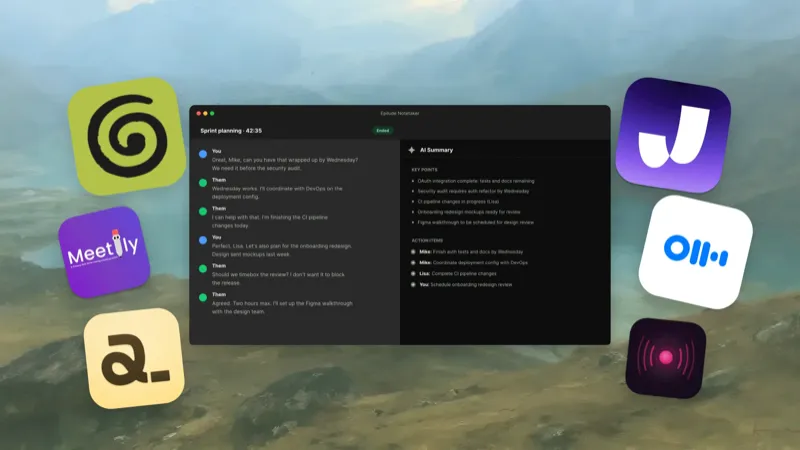
For a sensitive meeting, our preferred path is local capture, local transcription, local summary generation, and local storage, with recording retention off unless we have a reason to keep the audio. That is the path Epilude Notetaker provides with local transcription and local summaries selected separately on a suitable Apple Silicon Mac (16GB+ for summaries). It is also possible with configurable local tools such as Meetily, but we have to verify every selected provider and model.
The five stages of an AI meeting note
1. Capture: how does the app hear the meeting?
A participant bot joins the meeting service and receives the call through that service. A bot-free desktop app captures our microphone and the system audio playing on the computer. Both methods can record the same conversation; the difference is where the capture begins and whether an extra attendee appears.
Bot-free capture has practical advantages. It works across Zoom, Google Meet, Teams, Slack huddles, and other audio sources without a calendar bot. It also works while we wear headphones when the app captures system audio directly.
It is not a privacy guarantee. Granola, for example, captures microphone and system audio from the desktop without adding a bot, then uses hosted transcription and AI providers. Otter Desktop can also remove the participant bot while continuing to use Otter's cloud workspace.
The first questions we ask are:
- Does a bot join, or does the app capture from the device?
- Does capture start manually, automatically, or through calendar rules?
- Is the recording state obvious on our screen?
- Can we pause or stop it immediately?
- Does the app capture system audio directly when we use headphones?
2. Transcription: where does speech become text?
This is the stage most products mean when they say “local AI.” A local speech model receives audio and produces the transcript on the Mac. A cloud transcription service receives audio over the internet and returns text.
Local transcription can keep raw meeting audio off a provider's servers and continue without Wi-Fi. It also makes the Mac's processor, memory, supported languages, and model quality part of the decision. A smaller local model may be fast and private but less reliable with heavy accents, overlapping speech, or unusual names.
Cloud transcription can provide broader language coverage, managed model updates, and consistent performance on older hardware. The relevant privacy questions are which service receives the audio, whether it stores that audio, whether people can access it, and whether the contract permits training.
“Audio is not retained” is narrower than “audio never leaves the device.” Granola says it sends audio for live transcription and does not retain the recording after transcription. Otter stores cloud conversation data and offers enterprise retention controls for audio, transcripts, or the full conversation. Both can be reasonable approved cloud designs, but neither is local transcription.
3. Summary: where does the transcript become notes?
Meeting summaries require a second model. It reads the transcript and extracts the overview, decisions, questions, and action items. A product can transcribe locally and still send the entire finished transcript to a hosted language model for this stage.
That distinction matters because a transcript can be more searchable and easier to copy than audio. It contains the names, plans, numbers, and sensitive statements from the meeting in plain text. Keeping audio local does not settle where that text goes.
We check whether summary generation is:
- On-device with a local language model.
- Sent to the product's own hosted model.
- Sent to a named third-party AI provider.
- Connected to a provider we choose with our own key.
- Optional, so the transcript can remain local without a summary.
In Epilude Notetaker, transcription and summaries have separate settings. Both default to cloud processing. Choose both local options to keep the two stages on the Mac; local summaries need 16GB+ Apple Silicon and are slower and less capable than cloud summaries. Meetily can use local models for both stages, or a hosted provider if we configure one. Anarlog also describes local and optional cloud paths. The product name alone does not determine the route; the selected mode does.
4. Storage: what remains after the call?
Audio, transcript, summary, manual notes, action items, speaker labels, calendar metadata, analytics, and backups can all have different homes. “We do not store recordings” only answers the first item.
Granola says it does not retain desktop meeting audio, while notes and transcripts are stored in its US-hosted cloud environment and cached on the device. Its transcript auto-deletion setting can remove transcripts on a schedule while leaving the finished notes. Otter's enterprise controls can apply different retention periods to audio and transcripts. A locally stored app may instead put the transcript and summary in a database or ordinary files on the computer.
Epilude saves each meeting as a Markdown file in a folder we choose and keeps it in the app's local searchable library. Audio recording is off by default; when we turn it on, the saved recording stays with the meeting on the Mac. Deleting the meeting deletes its managed file and saved audio.
Local files give us direct possession, but they also make our device controls part of the privacy model. We still need FileVault, a locked user account, sensible backups, and care when syncing the folder through iCloud Drive, Dropbox, or another service. A file can begin local and later enter a cloud backup because of our folder choice.
5. Deletion: what disappears, when, and from where?
A useful deletion answer names the object, timing, and systems involved. “Delete your meeting” might remove the item from the app while leaving it in trash for 30 days. It might delete the transcript but retain the summary. It might remove the primary copy while backups expire later.
Granola lets users choose transcript auto-deletion periods while keeping the meeting notes. Otter documents custom enterprise retention for the full conversation, audio or video, and transcript. These controls are more precise than a generic promise, but we still have to decide whether the surviving summary and metadata fit our policy.
With a local-first app, deletion is easier to observe but still not magical. We check the app database, exported files, saved recordings, the Mac's Trash, and any backup or sync service. If a Markdown note was copied into Notion or emailed to a client, deleting it from the meeting app cannot recall those copies.
A worked example: an Epilude meeting in Local Mode
Here is the path we see when we record a meeting with Epilude Notetaker in Local Mode:
- Epilude captures our microphone and the Mac's system audio. No participant bot joins the call.
- The speech model transcribes both streams on the supported Mac.
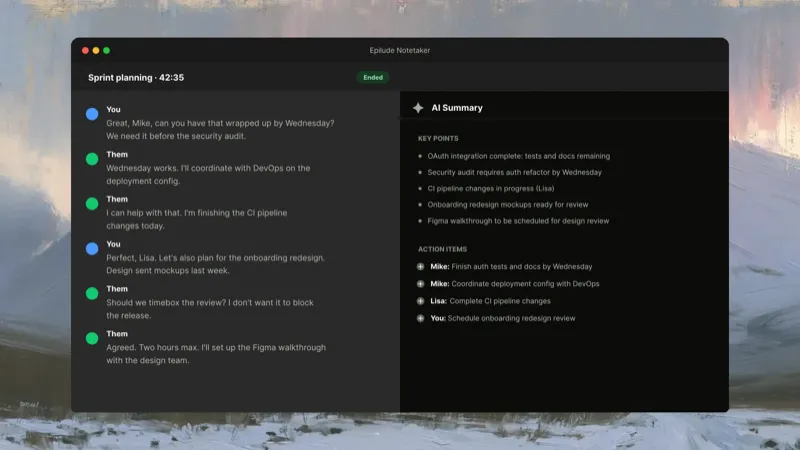
- The local summary model reads the transcript and creates the overview, decisions, and action items on the Mac.
- The meeting stays in Epilude's local library and saves as Markdown in our chosen folder.
- The original audio is not kept unless we turn on Save audio recordings. Deleting the meeting also deletes its managed Markdown file and any saved recording.
This is the cleanest Epilude path for a meeting that should not be processed in the cloud. Cloud mode remains useful when we prefer its supported languages or hosted processing. The point is not that one mode is universally correct; it is that the boundary is visible and selectable.
Local processing also does not make Epilude a compliance certificate. The meeting participants, Mac account, exported files, backups, workplace policy, and applicable consent rules remain outside the model toggle.
Four common privacy claims, translated
“No bot joins the meeting”
Translation: capture happens from the device or through another non-participant route. Ask where the audio goes next.
“Your audio is never stored”
Translation: the provider says it does not retain the recording after processing. Ask whether audio is transmitted, which service processes it, and what text remains.
“Your notes stay on your device”
Translation: the saved output is local. Ask whether audio or transcripts were sent to cloud models before that file was written.
“We use enterprise-grade encryption”
Translation: data is protected during transmission or storage. Ask who holds the keys, where the data is hosted, which subprocessors receive it, and when it is deleted.
None of these statements is useless. Each one answers a different part of the route. Trouble starts when one stage is presented as the whole privacy story.
Our buyer checklist for private meeting notes
Before approving a meeting note taker, we would ask the vendor or test the product against these questions:
Capture
- What audio sources does the app capture?
- Does a bot join the meeting?
- Can it begin recording without a deliberate click?
- How does it help us notify participants?
Processing
- Does raw audio leave the device for transcription?
- Does transcript text leave the device for summaries or chat?
- Which speech and language model providers receive content?
- Can we run both stages locally and verify that with Wi-Fi off?
- Do settings, plan level, language, or hardware change the path?
Storage and access
- Are audio, transcripts, summaries, and notes stored separately?
- Are saved files local, cloud-hosted, or both?
- Can administrators, support staff, guests, or link holders access them?
- Does a local folder sync through another service?
- Is customer content used for model training, and can we opt out?
Retention and deletion
- What is the default retention period for every data type?
- Can users or admins set an automatic deletion window?
- Does deletion cover subprocessors and backups?
- What remains if only the transcript or audio is deleted?
- Can we export before deletion in a usable format?
We prefer written answers in the privacy policy, security page, help centre, subprocessor list, and data processing agreement. A sales reply can clarify an edge case, but the product's standard path should not depend on a promise that appears nowhere else.
Bot-free recording still requires notice and consent
A bot in the participant list is a visible signal. Desktop capture removes that signal, so the operator needs a deliberate consent habit.
We tell participants that the meeting will be transcribed and summarized, state whether it will stay on the Mac or use an approved cloud service, and wait for agreement before recording. The legal requirements vary by location and meeting type, and an employer may impose stricter rules. This article is a technical data-flow guide, not legal advice.
A recording indicator, pause button, and clear stop control are part of privacy too. They help us keep the actual capture aligned with what participants agreed to.
What should we choose?
Choose a fully local path when meeting content cannot be sent to hosted speech or language models, when offline use matters, or when owned files fit the organization's records process. Epilude is our preferred Mac workflow because capture, transcription, summaries, and storage can stay together on the computer. Meetily is worth evaluating when open-source configuration and model choice are requirements.
Choose a cloud product when collaboration, centralized administration, cross-platform support, or managed models matter more and the service has passed the organization's review. Granola has a clear bot-free cloud design and transcript-retention controls. Otter offers deeper enterprise retention and workspace administration.
Do not choose from the word “private.” Draw the five-stage path for the exact mode, plan, language, and device we will use. If any arrow is unknown, that is the next question to answer before the first sensitive call.
See how Epilude handles local meeting notes
Frequently asked questions
Is bot-free meeting transcription private?
Not automatically. Bot-free means the app does not join as a participant. It may still upload audio for transcription, send transcript text to a language model, and store notes in a cloud account.
What is the difference between local transcription and local summaries?
Local transcription turns audio into text on the computer. Local summary generation uses a language model on the computer to turn that transcript into notes and action items. A product can offer the first while sending text to the cloud for the second.
Does zero audio retention mean nothing is stored?
No. It means the recording is not retained under the vendor's stated policy. The service may still store the transcript, summary, action items, account metadata, and backups.
Can a local meeting note taker work without Wi-Fi?
Yes, when capture, transcription, and summary models all run on the computer and the required models are already installed. Optional sync, account checks, sharing, or cloud providers may still need a connection.
Where does Epilude store meeting notes?
Epilude keeps meetings in its local Mac library and saves each one as a Markdown file in a folder we choose. Audio is saved only when we enable that option. A folder selected inside a cloud-synced location follows that service's rules too.
Does deleting a transcript delete the summary?
It depends on the product. Granola's transcript auto-deletion leaves the notes in place. Otter can apply retention to different conversation data. With any app, we check the exact objects covered rather than assuming one Delete button removes every derived copy.
Do we need consent for a bot-free meeting recorder?
Yes when the applicable law, workplace policy, or meeting agreement requires it. Removing a visible bot does not remove the recording or transcription. We should inform participants and obtain the required agreement before capture begins.