You can now write meeting notes entirely on your Mac, listen to documents with Narrator, and review an Action before it changes your text. September also brought transcript search, note versions, and a dictation indicator that follows your insertion point.
Meeting notes on your Mac
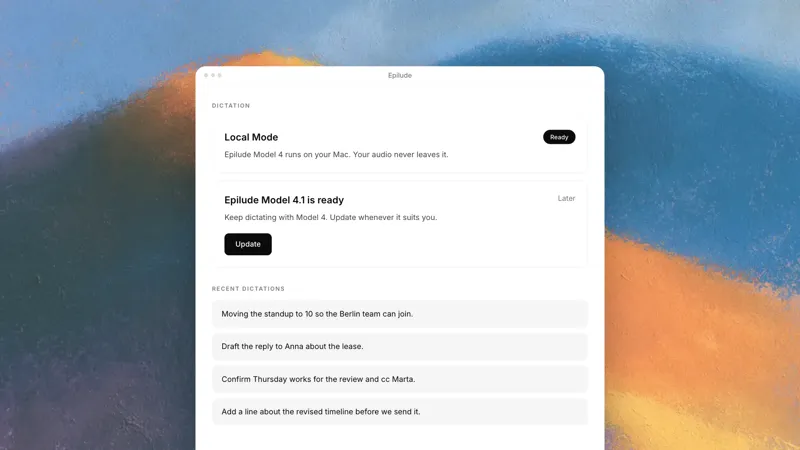
Local Mode could already record and transcribe a meeting on your Mac. With EP-1, it can now write the summary there too. Choose local transcription and local meeting summaries, and the audio, transcript, and finished notes stay on your Mac. Once downloaded, it works offline.
EP-1 is the new name for the on-device bundle, carrying forward the dictation and Cleanup you already had. Meeting summaries are the addition. They need an Apple Silicon Mac with at least 16 GB of memory, and you can download them from Settings → Models → Notetaker → Meeting summary model.
Cloud notes remain the default because they're better and faster. In our internal benchmark, about 6 in 10 local notes were ready to send, compared with about 9 in 10 from the cloud. A 45 to 60 minute meeting takes about 20 minutes to summarise locally. Choose EP-1 when keeping the conversation on your Mac matters more than getting the write-up quickly.
Narrator reads to you
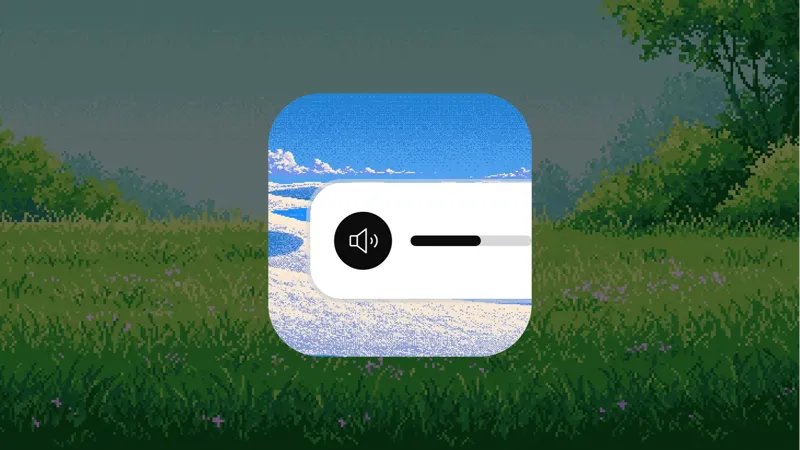
Select text and press ⌥⌘N. Narrator starts reading in a small floating player, highlighting the words as it goes. You can move the player or shrink it while you work. Hearing a draft read back is useful for catching a sentence that looked fine on the page.
For longer reading, bring a PDF, a text or Markdown file, a web page, or an image into Narrator. The text goes into your library, so you can come back to it later.
The EP-1 voice runs on Apple Silicon Macs with no listening limit. Your text stays on your Mac while it's read. Cloud voices send the text to Epilude's cloud to make the audio and use a monthly allowance of minutes. EP-1 is available on every plan; cloud voices need Pro or a trial.
You can also share a narration as a link that plays in a browser, including on your phone. Sharing uploads that narration's text and audio, even if it was read with EP-1. Stop Sharing deletes both from Epilude's servers.
Review an edit before replacing your text
Actions now has a panel beside your selection. Highlight text, click the indicator, and choose a rewrite, a shorter version, a translation, or one of your saved Actions. You can type your own instruction too.
The original stays in place while you compare Original and Result. Choose Replace selection when you're happy, or Copy if the app won't accept the replacement. If you move the cursor or switch tabs while the Action runs, Epilude keeps the result available to copy and removes the replacement option.
Turn on Show Actions beside selected text in Settings → Actions. The panel needs Pro or a trial. Selecting text and opening the panel don't upload it; running an Action sends the selection and your instruction to the cloud. That also applies when dictation is in Local Mode. The Actions Panel post has the full walkthrough.
Search, check, and revise your meeting notes
Press ⌘F in an open note to find a phrase in the transcript. Matches are highlighted, and Enter steps through them. We also sped up search in long transcripts and stopped new sentences from pulling you away from the place you'd scrolled to.
If you've edited a note, Review update lets you compare a regenerated version with your changes before applying it. Versions lets you restore any of the last 20 versions. Under Speakers and source history…, you can correct the transcript and name speakers before generating the notes again.
With Save audio recordings on, Listen to citation plays the moment behind a note. Notetaker also warns if your microphone drops during a meeting and lets you switch in one click. Cloud summaries pause when the connection drops and resume when it returns, including after a crash.
A few smaller changes
The caret dot puts dictation feedback below your insertion point. It becomes a waveform while you speak and a spinner while your words are processed. Choose it in Settings → Dictation. In fields where Epilude can't locate the caret, the bottom pill shows recording and processing instead.
In What changed, you can undo one Cleanup edit by clicking it, keeping the rest of the corrections. Extra mouse buttons can now serve as hotkeys, and shortcut labels match your keyboard layout.
Epilude also installs updates automatically at a quiet moment, while you're away from your Mac and no recording, narration, or edit is running. You can turn automatic installs off in Settings → General.