June was the month Epilude moved on-device. We shipped Local Mode, where Epilude Model 1 runs on your Mac and, with Local Mode on, your audio never leaves it. The rest of the month pulled in one direction: giving you more reason to trust what Epilude does with the words you just said. Cleanup got more faithful to how you actually talk. You can now see exactly what it changed, and flag it when it gets something wrong. And Vocabulary learned your names and jargon whether you dictate in the cloud or fully on your Mac.
Local Mode: dictation that stays on your Mac
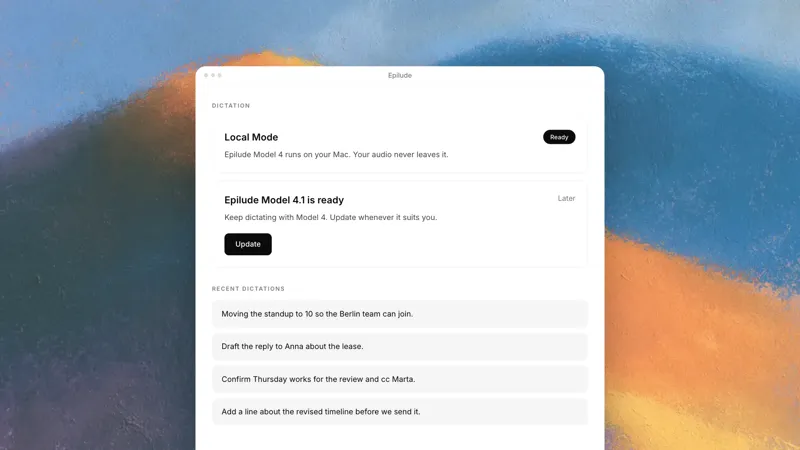
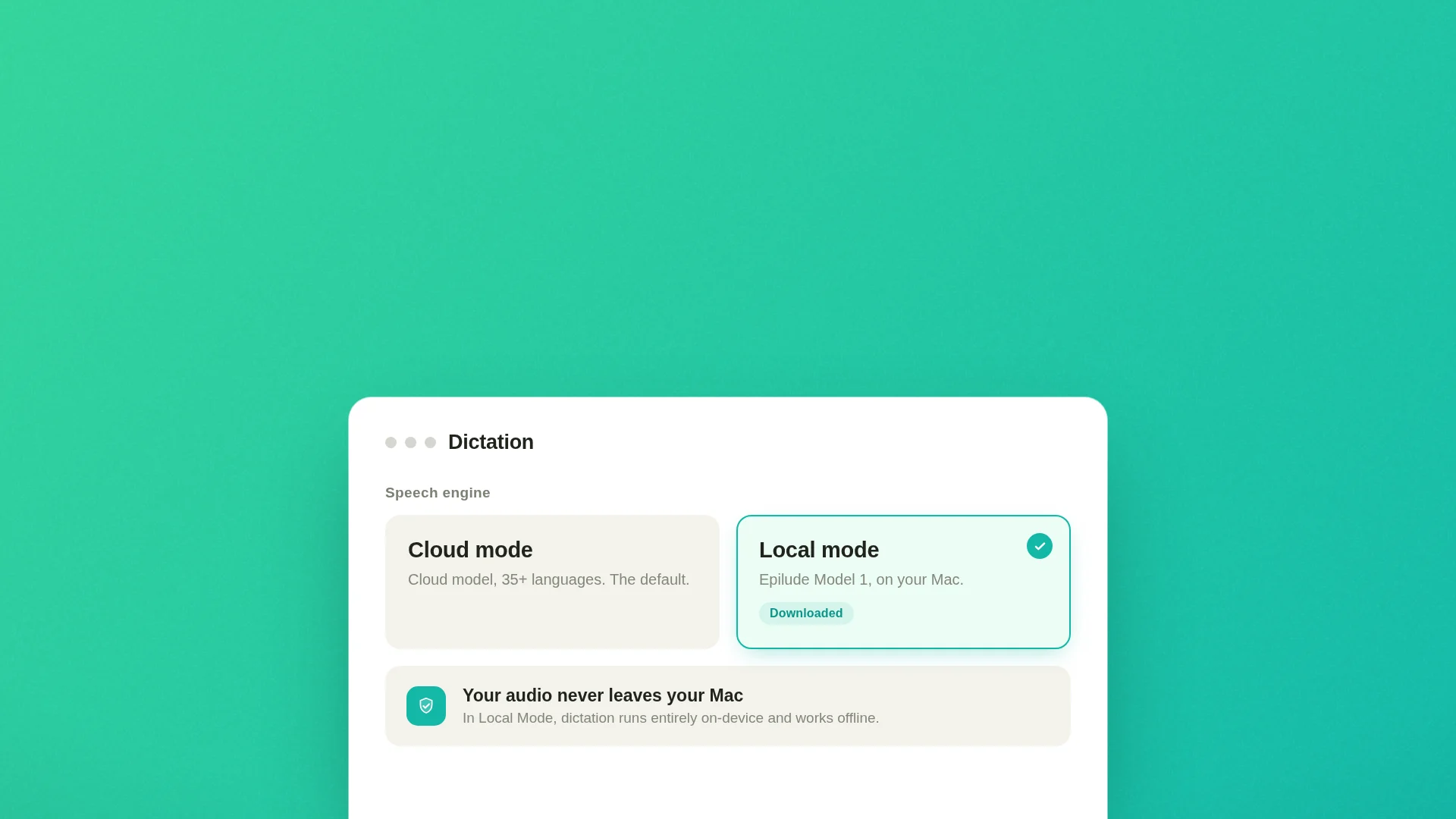
The headline in June was Local Mode. Choose it in Settings, download Epilude Model 1 once, and dictation runs entirely on your Mac. Audio and text stay put, and it works with Wi-Fi off, on a plane or behind a firewall that blocks anything cloud-based. Cloud mode is still the default, because it runs on every Mac and carries the broadest language support. Local Mode needs an Apple Silicon Mac and covers 25 European languages, and full on-device Cleanup runs on Macs with 16GB of memory or more. On a smaller Mac, Local Mode still transcribes and formats on-device, so nothing you say reaches the cloud either way. Switch between the two whenever you like.
Cleanup that keeps your meaning
We spent a good part of June making Cleanup quieter about your intent. It keeps your hedges now, so an "I think" or a "probably" stays tentative instead of hardening into a flat claim. Sentence starts, the word "I", and weekday names get capitalized reliably. The line breaks you dictated survive the pass, and with an excited Tone Match, a statement can land on an exclamation mark. Filler like "um" and "you know" still goes.
The same pass now runs in Local Mode, where on-device Cleanup used to sometimes rewrite what you said, or answer a question you were only trying to tidy up. That is fixed. It now strips filler and fixes punctuation while leaving your meaning, wording, and language alone. High Cleanup stays in Cloud mode, Local Mode runs up to Medium, and your High setting returns on its own when you switch back.
See what changed, and flag what is wrong
Two smaller additions make Cleanup something you can check. On your Home dashboard, open a recent dictation and choose See what changed to compare your raw words against the cleaned version, with edits highlighted inline. If you liked your own wording better, Revert to raw keeps the transcript instead. And when a dictation comes out wrong, a flag button opens a short form to describe what you expected. That report carries the dictation's original and cleaned text, never any audio, and only if you choose to send it.
Vocabulary, in both modes
Vocabulary opened up to everyone in June. Teach Epilude how to spell the names, brands, acronyms, and jargon you use, and it gets them right on every dictation, in any app. Add a word from the new Vocabulary section, quick-add a highlighted word from anywhere with ⌘⇧D, or bulk-import a list you already keep somewhere else. The corrections run in Cloud mode and Local Mode both, so a client's name lands the same way whether or not your audio ever leaves the Mac.
Getting the microphone right
A run of fixes went to a boring but load-bearing question: which microphone is Epilude actually listening to. The redesigned picker in Settings adds a live level meter, so you can watch it move and confirm the right mic hears you before you speak. Rank your microphones and Epilude steps down the list when one is unplugged, rather than grabbing the system default. Your choice now survives unplugging, reconnecting, and restarting the Mac. And if you keep Bluetooth earbuds connected for listening but dictate on another mic, Epilude no longer drags them into call mode on every press, which used to add a second or two of delay.
A few more things
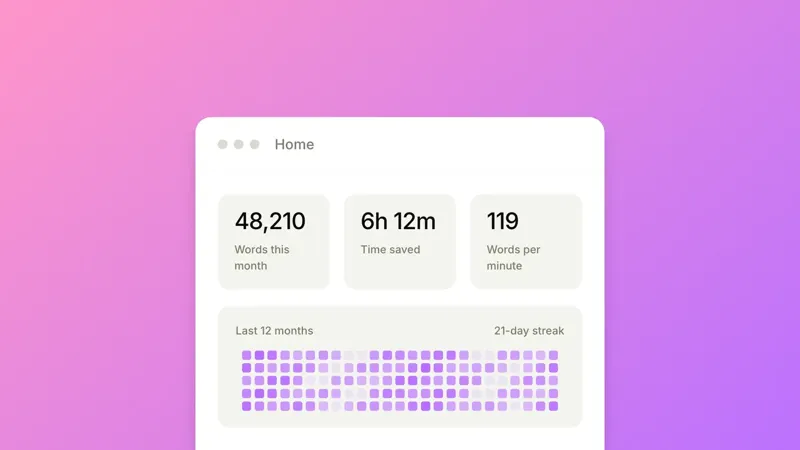
The rest of June was polish. New installs default to Left ⌘ + E, and you can bind a hotkey to one side of the keyboard, so Left ⌘ and Right ⌘ do different jobs. Double-tapping into hands-free forgives a slightly slow tap. A silent dictation no longer pastes a stray sentence or overwrites your clipboard. The Home dashboard folds your words, time saved, and words per minute into a single stats card, and your all-time count now reflects your full history. The idle dictation pill is smaller and sits lower, clear of buttons near the bottom of a window. There is also a new optional command, "send text". End a dictation with those words and Epilude presses Return for you in chat apps and single-line fields, while leaving them as plain text in an editor.
Your words are yours
Under all of it is that one idea. June was mostly about proving it in the parts you can see, the Cleanup you can inspect, the mic you can watch, the correction that sticks, and in the part you cannot, the audio that, in Local Mode, never leaves your Mac.