You type for a living. Your title says something else, but the reality is that a significant portion of your workday is spent converting thoughts into text. Emails, Slack messages, documents, code reviews, AI prompts, meeting notes. The queue never empties.
The average knowledge worker types at around 45 words per minute. You think considerably faster than that. The gap between the two is where ideas get compressed, nuance gets dropped, and short replies replace the thoughtful ones you intended to write.
Most people have accepted this as a fixed constraint. It doesn't have to be.
Today, Epilude is available to everyone. After months of working closely with design partners across engineering, product, and executive roles, we're opening the product to the public.
What we learned from design partners
We started Epilude with a hypothesis: voice input could eliminate the bottleneck between thinking and writing. What we didn't know was what people actually needed from it. Existing dictation tools answered that question clearly, by getting it wrong.
The consistent feedback from early users fell into three categories.
"I need my words, not yours." Every design partner who had tried other voice tools reported the same frustration. The tool would rephrase what they said. Casual language got smoothed into corporate tone. Direct sentences got padded with filler. The output didn't sound like them, so they stopped using it. The lesson was unambiguous: format the text, don't rewrite it.
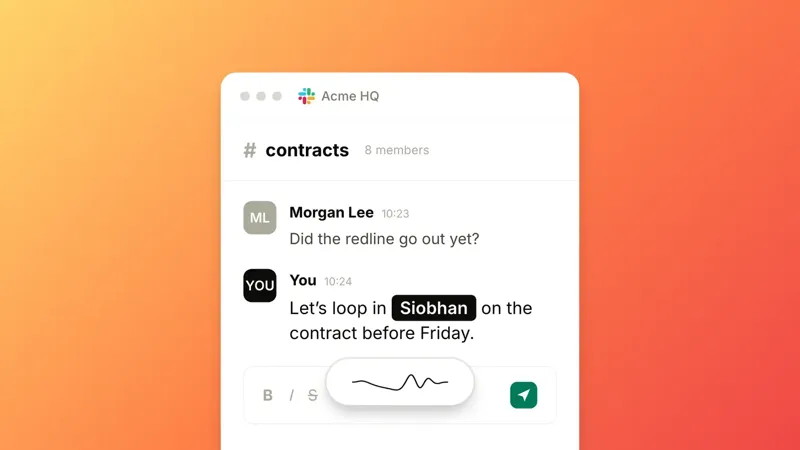
"It needs to be invisible." Not another app to switch to. Not a separate window. Design partners wanted to hold a key, speak, and see the text appear right where they were working. No context switching. No copy-paste. The tool should disappear into the workflow they already have.
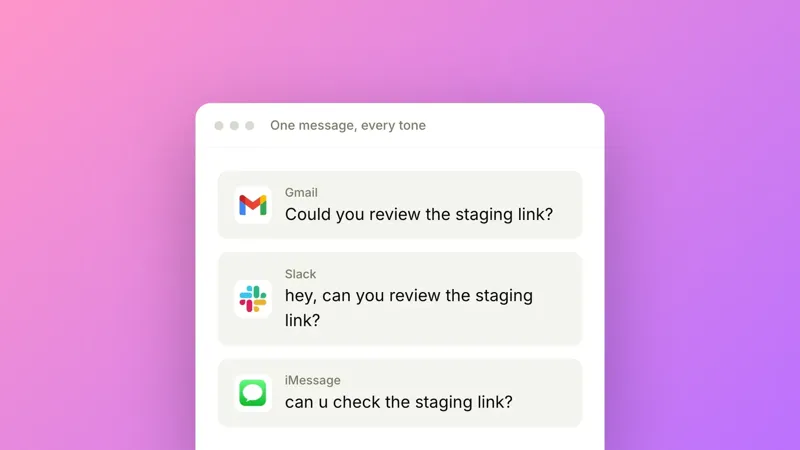
"It has to work everywhere." Not just in one app. Not just in a browser. In Slack, Gmail, VS Code, Cursor, Notion, Terminal, iMessage, wherever the cursor happens to be. Switching between a dictation app and a work app is enough friction to kill the habit.
These three requirements shaped every technical decision we made.
How Epilude works
The interaction is simple. Hold a hotkey, speak naturally, release. Formatted text appears at your cursor in roughly one second. It works in any text field on your Mac, across over 100 apps.
Under the surface, four things happen in sequence:
- Audio capture records your speech while the hotkey is held
- Transcription converts speech to text in real time
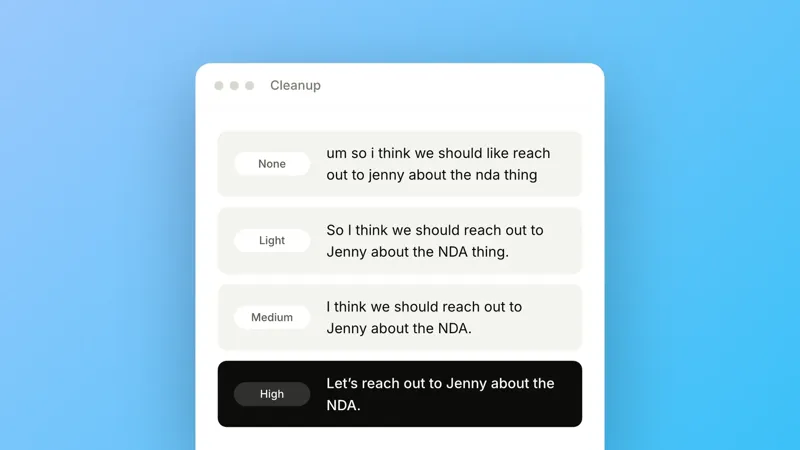
- Smart Formatting applies rule-based processing for spoken cues like "comma," "new paragraph," and "list," and removes filler words like "um" and "uh"
- Auto-Edits runs a single AI pass that cleans up punctuation, capitalization, and structure without changing your words
The result is text that reads like you sat down and carefully typed it. Except you said it in a fraction of the time.
What this looks like in practice
Clearing your inbox. Open your email client, hold the hotkey, speak your reply, release. A polished response inserts directly. At roughly 180 words per minute, nearly four times average typing speed, you process email at a pace that previously required cutting corners on quality.
Dictating to your coding tools. If you work in Cursor, VS Code, or Claude Code, you already know that the quality of a prompt matters. But typing out a detailed prompt with full context takes long enough that most people default to shorter, less specific instructions. Dictating lets you give your tools the full picture: describe the bug, explain the intent behind the architecture, reference the specific files involved. You spend ten seconds speaking what would have taken two minutes to type, and the output from the AI is better because the input was more complete.
Long-form writing. Switch to hands-free mode: press once to start, press again to stop. Dictate emails, documents, or notes using voice commands for structure. Say "new paragraph," "bullet list," or "scratch that" and Auto-Edits handles the formatting. You get a clean draft without typing a single character.
Preserving your voice in async communication. Founders and managers providing feedback across Slack, Linear, and email can speak the way they naturally think. The output preserves their actual words and tone, not a sanitized version.
Privacy by default
Epilude doesn't collect telemetry on your dictation content. Your transcripts are stored locally on your device and nothing is used for training. Uninstalling the app removes everything.
Try it
Epilude is available now with a free trial. You get 1,000 words, all features included, no credit card required.
Update, August 2026: the trial no longer has a time limit. It is 1,000 dictation words and 10 meeting notes, and each runs out on its own.